|

|
Processed through Paypal No account required. |








Buy our over-priced crap to help pay the bills.



|
|
Processed through Paypal No account required. |
| Files | ||||
| File Name | Rating | Downloads | ||
 |
DNS Hop v2.4 DNS Hop v2.4 👉 Benchmark and compare DNS providers to find the fastest and most reliable DNS for your network. DNS Hop is an open-source Windows utility designed to test and compare the performance of DNS services from multiple providers. By benchmarking thousands of available DNS endpoints, it helps users determine which DNS servers provide the fastest and most reliable performance for their specific network conditions. DNS Hop simplifies what can otherwise be a confusing process. Instead of manually trying different DNS providers and guessing which one performs best, the program runs automated tests against a large list of DNS servers and ranks them based on response time and reliability. Results are presented in an easy-to-read leaderboard, allowing users to quickly identify the best options. The application also provides recommendations based on the test results. Users can choose to manually apply these DNS settings or let DNS Hop configure them directly from within the program. This makes it easy to optimize DNS performance and potentially improve browsing speed and reliability. DNS Hop also allows exporting benchmark results for further analysis or record-keeping. Data can be exported as CSV or JSON files, and the performance chart can be copied as an image for sharing or documentation. Features: • Benchmarks thousands of DNS providers to measure performance • Ranks DNS servers by speed and reliability • Displays results in a clear leaderboard format • Provides recommendations for primary and secondary DNS servers • Allows direct DNS configuration from within the application • Export benchmark results as CSV or JSON files • Copy performance charts as PNG images • Lightweight open-source utility for DNS testing and optimization Supported operating systems: • Windows 10, Windows 11 Supported languages: English, German, French, Russian and Simplified Chinese, auto-detected from your OS UI language on first launch. Changes: v2.4 06-20-26 New resolvers and encrypted protocols NordVPN (Nord Threat Protection) public encrypted DNS, in three ... |
 |
793 | Jul 20, 2026 center2055 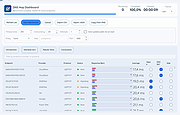 |
| Showing rows 1 to 1 of 1 | Showing Page 1 of 1 | 1 |
OlderGeeks.com Copyright (c) 2026
