|

|
Processed through Paypal No account required. |








Buy our over-priced crap to help pay the bills.



|
|
Processed through Paypal No account required. |
| Files | ||||
| File Name | Rating | Downloads | ||
 |
HiBit Uninstaller v4.0.10 HiBit Uninstaller v4.0.10 👉 Completely remove programs and clean leftover files and registry entries. HiBit Uninstaller is a powerful and easy-to-use utility that helps you uninstall programs completely from your Windows system. It removes stubborn applications, leftover files, folders, and registry entries that standard uninstallers often leave behind. HiBit Uninstaller also includes a suite of additional system management tools to help you clean and optimize your PC. These tools allow you to manage startup items, clean junk files, remove browser extensions, and securely delete sensitive files. The program is lightweight, portable (no installation required), and designed to work without background services or unnecessary components. Features: • Completely uninstall programs and remove leftovers • Force remove stubborn or corrupted programs • Batch uninstall multiple applications • Remove Windows Apps (Store apps) • Deep registry and file system scan for leftovers • Startup manager • Context menu manager • Services manager • Task scheduler manager • Junk file cleaner • Registry cleaner • Browser extension manager • Secure file shredder • System restore manager • Portable version available Supported operating systems: • Windows 7, Windows 8, Windows 8.1, Windows 10, Windows 11 Supported languages: English, German, French, Spanish, Italian, Portuguese, Dutch, Russian, Turkish, Polish, Czech, Romanian, Hungarian, Greek, Arabic, Chinese (Simplified), Chinese (Traditional), Japanese, Korean Changes: v4.0.10 02-10-26 Added a File & Registry Finder tool. Added a Duplicate File Finder tool. Added a Disk Analyzer tool. Added Connection Manager tool. Added tree view for leftovers search results. Added support for custom folders in the Empty Folder Cleaner and Shortcuts Cleaner tools. Added a donation feature to support our work. Redesigned and added new features to the Process Manager tool. Improved the performance of Installation Monitoring. Improved the Windows Store Apps Manager performance. Improved the speed and accuracy of the Junk Files Cleaner tool. Improved the leftovers search algorithm, achieving 30% faster performance. Improved user interface. Fixed all known bugs. Click here to visit the author's website. |
 |
9,659 | Jun 27, 2026 HiBitSoft.IR 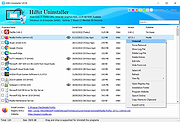 |
| Showing rows 1 to 1 of 1 | Showing Page 1 of 1 | 1 |
OlderGeeks.com Copyright (c) 2026
