|

|
Processed through Paypal No account required. |








Buy our over-priced crap to help pay the bills.



|
|
Processed through Paypal No account required. |
| Files | ||||
| File Name | Rating | Downloads | ||
 |
GetPixelColor v3.55 GetPixelColor v3.55 👉 Instantly identify the color value of any pixel on your Windows desktop. GetPixelColor is a lightweight, portable utility that lets you quickly determine the exact color value of any pixel displayed anywhere on your Windows desktop. Whether you're a web designer, graphic artist, software developer, digital artist, or simply need to identify a specific color, GetPixelColor provides an easy way to retrieve precise color information with minimal effort. The program follows your mouse cursor in real time, displaying the selected pixel's color in multiple formats for use in graphics, web development, and design projects. Its compact interface requires no installation, making it ideal for keeping on a USB flash drive or using as a quick desktop utility. Despite its small size, GetPixelColor supports numerous interface languages and works across virtually all modern Windows versions. Features: • Instantly identify the color of any screen pixel • Live color detection as the mouse cursor moves • Displays precise color values for selected pixels • Simple, lightweight, and portable application • No installation required • Low system resource usage • Suitable for web design, graphic design, development, and troubleshooting • Supports numerous interface languages • Compatible with virtually all Windows desktop environments Supported operating systems: • Windows XP, Windows Vista, Windows 7, Windows 8, Windows 8.1, Windows 10, Windows 11, Windows Server 2003, Windows Server 2008, Windows Server 2012, Windows Server 2016, Windows Server 2019, Windows Server 2022 Supported languages: English, Arabic, Basque, Bulgarian, Catalan, Chinese (Simplified), Chinese (Traditional), Croatian, Czech, Danish, Dutch, Finnish, French, German, Greek, Hebrew, Hungarian, Italian, Japanese, Korean, Norwegian, Persian, Polish, Portuguese, Portuguese (Brazilian), Romanian, Russian, Slovak, Slovenian, Spanish, Swedish, Thai, Turkish, Ukrainian, Vietnamese Changes: v3.55 06-30-26 Improvements to GetPixelColor for all Windows operating systems. Language file update in the pixel query app. This download is for the Windows 64bit portable version (very bottom of page). If you need the Windows 32bit portable version, download here. Click here ... |
 |
4,366 | Jul 08, 2026 Nenad Hrg  |
|
InsideClipboard v1.30 InsideClipboard v1.30 👉 Displays the binary contents of files stored in the Windows clipboard. InsideClipboard is a small, portable utility that shows the binary data currently stored in the Windows clipboard. For every format available in the clipboard, it displays the name of the format, the handle, the size of the data, and a preview of the raw binary content in a standard hex dump view. InsideClipboard allows you to inspect text, images, HTML, Rich Text, and other custom clipboard formats in detail. It is especially useful for developers, advanced users, and anyone troubleshooting clipboard-related issues who needs to see exactly what data is being copied between applications. Features: • Displays all available clipboard formats • Shows format name, handle, and data size • Built-in hex dump viewer for binary data • Supports standard and custom clipboard formats • Refresh option to reload current clipboard contents • Portable application with no installation required Supported operating systems: • Windows 2000, Windows XP, Windows Server 2003, Windows Vista, Windows 7, Windows 8, Windows 10, Windows 11 Supported languages: English, Arabic, Dutch, French, German, Greek, Hungarian, Italian, Japanese, Korean, Polish, Portuguese, Russian, Simplified Chinese, Slovak, Spanish, Turkish Changes: v1.30 05-04-2018 Added "UTF-8" Display Mode. Note: Malwarebytes and other anti-virus software may block this as a "Machine Learning" app. We have confirmed this to be a false positive. The file is safe. Click here to visit the author's website. |
|
10,303 | Jun 27, 2026 Nir Sofer 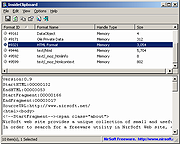 |
|
PilotEdit Lite v21.5.0 PilotEdit Lite v21.5.0 👉 Free text and hex editor designed for working with large files and advanced text processing tasks. PilotEdit Lite is a lightweight yet powerful text and source code editor built for users who need to handle large files, perform advanced search and replace operations, edit hex data, and manage coding projects efficiently. The Lite edition provides many of the core editing and file management tools found in the full version while remaining free for personal use. It is especially useful for programmers, web developers, log file analysis, and anyone working with very large text files that standard editors may struggle to open or process smoothly. Features: • Open and edit large text files • Syntax highlighting for multiple programming languages • Hex editor mode for binary file editing • Advanced multi-line search and replace • Column mode editing • Regular expression support • File compare functionality • FTP and SFTP file transfer support • Unicode and UTF-8 support • Customizable text encoding options • Line sorting and duplicate removal tools • Powerful file search across directories • Bookmark support for quick navigation • Word wrap and split window editing • Configurable keyboard shortcuts • Session and workspace management • Automatic file backup support • Portable version available Supported File Types: AHK Script, ASP, ASP.NET, AngularJS TypeScript, Apache Pig Latin Script, Assembly, AutoIt Script, BAT/CMD, C#, C/C++, COBOL, CSS, CSV, Conf, D Programming, DSV, Eiffel, Erlang, F#, Go, Groovy, HTML, Haskell, INF, INI, Inno Setup Script, J#, JSON, JSP, Java, Javascript, LESS, LISP, LaTex, Log, Lua, MATLAB, Markdown, MicroBasic Pro, PHP, Pascal, Perl, PilotEdit Script, PowerShell Script, Python, R Programming, REXX, RHTML, Ruby, SQL, Scala, TCL/TK, TSV, Text, Textile, UNIX/Linux Shell, VC++ Resource, Visual Basic, XHTML, XML Supported operating systems: • Windows 7, Windows 8, Windows 10, Windows 11, Windows Server 2008, Windows Server 2012, Windows Server 2016, Windows Server 2019, Windows Server 2022 Supported languages: Arabic, Dutch, English, Finnish, French, German, Hindi, Italian, ... |
|
9,990 | Oct 07, 2026 PilotEdit  |
| Showing rows 1 to 3 of 3 | Showing Page 1 of 1 | 1 |
OlderGeeks.com Copyright (c) 2026
