|

|
Processed through Paypal No account required. |








Buy our over-priced crap to help pay the bills.



|
|
Processed through Paypal No account required. |
| Files | ||||
| File Name | Rating | Downloads | ||
 |
Freelens v1.0.0 Freelens v1.0.0 Free and open source IDE for Kubernetes. Freelens is a free and open-source user interface designed for managing Kubernetes clusters. It provides a standalone application compatible with macOS, Windows, and Linux operating systems, making it accessible to a wide range of users. The application aims to simplify the complexities of Kubernetes management by offering an intuitive and user-friendly interface. Freelens is a fork of Open Lens, the core of Lens Desktop, with the aim of carrying forward its open-source version. Notes on downloads: macOS • Download either the PKG (installer) or DMG (image) package below. Both arm64 (M1 chip or newer) and amd64 (Intel) variants are available. • All binary packages are built on macOS 14 and should be compatible with newer systems. Homebrew • Run the following command: brew install --cask freelens Linux • Download DEB or RPM (package) or AppImage (executable) below. Both arm64 (aarch64) and amd64 (x86_64) variants are available. • All binary packages are built on Ubuntu 20.04 and should be compatible with new systems. AppImage • The Linux AppImage file requires libz.so and libfuse.so.2. You can add them by running: sudo apt install libfuse2 zlib1g-dev • Run the application with additional arguments: ./Freelens*.AppImage --no-sandbox --ozone-platform-hint=auto --enable-features=WebRTCPipeWireCapturer --enable-features=WaylandWindowDecorations --disable-gpu-compositing Flatpak • The package is available on the Flathub App Store for Linux. • Run the following commands: flatpak install flathub app.freelens.Freelens flatpak run app.freelens.Freelens • The application is sandboxed. It includes bundled kubectl and helm commands and uses the ~/.kube/config file by default. • Flatpak adds wrappers for the aws, doctl, gke-gcloud-auth-plugin, and kubelogin tools, running them as commands from the host system. • The terminal uses /bin/sh by default, but it can be switched to, for example, /bin/bash for a sandboxed environment or /app/bin/host-spawn for a host environment. APT repository • Run the following commands: curl -L https://raw.githubusercontent.com/freelensapp/freelens/refs/heads/main/freelens/build/apt/freelens.asc | sudo tee /etc/apt/keyrings/freelens.asc curl -L https://raw.githubusercontent.com/freelensapp/freelens/refs/heads/main/freelens/build/apt/freelens.sources | sudo tee /etc/apt/sources.list.d/freelens.sources sudo apt update sudo apt install freelens Windows • Download the EXE or MSI installers ... |
 |
792 | Mar 04, 2025 Freelens Authors 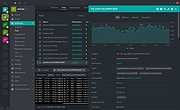 |
| Showing rows 1 to 1 of 1 | Showing Page 1 of 1 | 1 |
OlderGeeks.com Copyright (c) 2026
