|

|
Processed through Paypal No account required. |








Buy our over-priced crap to help pay the bills.



|
|
Processed through Paypal No account required. |
| Files | ||||
| File Name | Rating | Downloads | ||
 |
Clippy v0.4.3 Clippy v0.4.3 👉 A retro-style local AI chat app that runs GGUF large language models on your computer. Clippy lets you run a variety of large language models locally on your computer while using a nostalgic 1990s-style interface. It supports GGUF models through llama.cpp, includes one-click installation support for select models, and is designed as both a fun homage to Microsoft Office’s classic Clippy assistant and a reference implementation for Electron-based local LLM apps. Features: • Simple, familiar, and classic chat interface for chatting with local models. • Runs a variety of GGUF large language models locally on your computer. • Uses llama.cpp and node-llama-cpp to automatically discover the most efficient runtime path, such as Metal, CUDA, or Vulkan. • Includes one-click installation support for Google Gemma3, Meta Llama 3.2, Microsoft Phi-4, and Qwen Qwen3. • Lets you load your own downloaded models. • Allows custom prompts and parameter adjustments. • Works offline and locally, with the only network request being update checks, which can be disabled. • Styled as a love letter and homage to the late, great Clippy and 1990s Microsoft visual design. • Intended as a reference implementation of @electron/llm for developers building Electron apps with local language models. Supported operating systems: • Windows • macOS (Apple Silicon), macOS (Intel) • Linux (RPM, x64), Linux (Debian, x64) Supported languages: English Changes: v0.4.3 05-08-25 We still had issues with the incorrect native binaries making it into the build, breaking Clippy for Macs with Intel processors. This should finally be fixed. We figured it out! To move the Clippy icon to another position on your desktop: Left click on the icon, hold and drag it like normal but you have to hover your cursor over a part of Clippy that doesn't show a question mark. Like this: This download is for the Windows 64bit installer version (very bottom of page). All other download assets are below: Other Windows: Clippy-win32-x64-0.4.3.zip macOS: Clippy-darwin-arm64-0.4.3.zip Clippy-darwin-x64-0.4.3.zip Linux: clippy_0.4.3_amd64.deb Clippy-0.4.3-1.x86_64.rpm Click here to visit the author's ... |
 |
838 | Mar 25, 2026 Felix Rieseberg 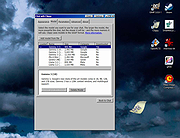 |
 |
Enigmak-2.0.0.zip ENIGMAK v2.0.0 👉 Offline multi-round rotor cipher tool for encrypting messages with a 68-symbol alphabet. ENIGMAK is a browser-based cipher machine inspired by the historical Enigma rotor machine, but built on a fundamentally different architecture for educational, research, and general personal use. It runs entirely offline as a single HTML file with no installation, no server, and no network requests, and the project also includes Python and JavaScript implementations. ENIGMAK supports 1 to 13 rotors with irregular key-derived stepping, up to 34 Steckerbrett character-pair swaps, 10 keyboard layouts as substitution tables, key-derived rounds, a keyed diffusion layer, nonce support, embedded message authentication, a key fingerprint, and passphrase-based key representation. The author notes that it has not undergone formal cryptanalytic review and should not be used for classified, medical, legal, financial, or life-critical communications. Features: • 68-symbol alphabet covering uppercase letters, digits, semicolon, and standard special characters • 1 to 13 rotors with irregular key-derived stepping • Up to 34 symmetric Steckerbrett character-pair swaps • Dynamic plugboard and scramble stages from unused keyboard layouts • 10 keyboard layouts used as substitution tables • Key-derived rounds from 1 to 999 • Keyed 68-position diffusion transposition layer • Optional nonce to prevent identical plaintexts from producing identical ciphertexts • Embedded message authentication checksum at a key-derived position • 4-character verbal key fingerprint • Passphrase encoding for key sharing • Live IoC display for statistical feedback • Full offline operation with no dependencies for the main cipher files • Included Python and JavaScript implementations alongside the HTML version • Electron desktop wrapper available for standalone desktop use • Supports only the 68-symbol ASCII alphabet; non-ASCII characters pass through unencrypted Supported operating systems: • Windows • macOS • Linux Supported languages: • English Changes: v2.0.0 04-03-26 Breaking Change Ciphertexts from v1.0.0 are not compatible with v2.0.0. Keys are unchanged; messages encrypted under v1.0.0 must be re-encrypted. Security Fixes (consolidated from rc.1 through rc.3.1) Position whitening layer (rc.1) - a key-derived LCG stream (seed = keySum XOR 0xC0FFEE42, ... |
 |
652 | Apr 03, 2026 Awesomem8112 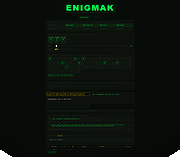 |
|
Fungible v1.6.4 Fungible v1.6.4 👉 A personal finance application that helps you track spending, budgets, and net worth with local data storage. Fungible is an open source personal finance manager that provides both a traditional terminal interface and a modern graphical desktop interface for managing your finances. It allows you to import transactions from financial institutions, categorize income and expenses, create budgets, monitor account balances, and visualize your financial health through charts and reports. Whether you prefer working from the command line or using the graphical interface, Fungible stores your financial data locally on your computer, giving you full control over your information while helping you organize day-to-day finances. Features: • Track checking, savings, credit card, investment, and other financial accounts • Import financial transactions from supported bank export formats • Categorize transactions with customizable categories • Create and monitor monthly budgets • View spending trends and financial reports • Track income, expenses, and overall net worth • Powerful transaction filtering and search tools • Local data storage for improved privacy and control • Cross-platform desktop application with Electron-based graphical interface • Open source software Supported operating systems: • Windows 10 or higher • macOS 13 Ventura or higher • Linux (64-bit distributions supported through official releases) Supported languages: • English Changes: v1.6.4 06-13-26 • Added a new Electron-based graphical user interface. • Added cross-platform desktop packaging and development release workflow. • Documented the filter panel and updated filter keys. • Fixed renderer sandbox and Plaid callback host issues. • Fixed stale result handling in GUI pattern matching. This download is for the Windows 64bit version (very bottom of page). All other download assets are below: macOS: fungible-1.6.4-mac-arm64.dmg fungible-1.6.4-mac-arm64.zip fungible-1.6.4-mac-x64.dmg fungible-1.6.4-mac-arm64.zip Linux: fungible-1.6.4-linux-amd64.deb fungible-1.6.4-linux-x86_64.AppImage Click here to visit the author's website. |
|
516 | Jun 19, 2026 Thomas Funk 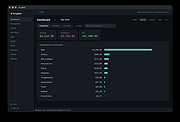 |
| Showing rows 1 to 3 of 3 | Showing Page 1 of 1 | 1 |
OlderGeeks.com Copyright (c) 2026
