|

|
Processed through Paypal No account required. |








Buy our over-priced crap to help pay the bills.



|
|
Processed through Paypal No account required. |
| Files | ||||
| File Name | Rating | Downloads | ||
 |
Eclipse v1.0 Eclipse v1.0 Encrypt emails and any text in place. Eclipse is a free and portable system tray application to send encrypted emails and encrypt any text in place. How it Works: • Select any text. • Press Ctrl+Shift+E (customizable). • You will be prompted for a password, enter one. • Your text will be encrypted and pasted in place. • To decrypt, repeat the operation. • You can choose to keep the encrypted/decrypted text in the clipboard or not by ticking the Keep checkbox. • Additional options can be configered in the provided INI file. • You may hide the tray icon by setting HideIcon=1 in the INI file. Encryption: Eclipse uses blowfish encryption. Supported operating systems: Windows XP/Vista/7/8/10/11 Note: The .exe file inside of the .zip file has two hits on VirusTotal. We have confirmed these to be false positives. The file is safe. Click here to visit the author's website. |
 |
624 | Nov 10, 2025 Danny Ben Shitrit 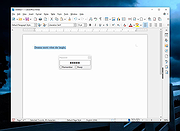 |
| Showing rows 1 to 1 of 1 | Showing Page 1 of 1 | 1 |
OlderGeeks.com Copyright (c) 2026
