|

|
Processed through Paypal No account required. |








Buy our over-priced crap to help pay the bills.



|
|
Processed through Paypal No account required. |
| Files | ||||
| File Name | Rating | Downloads | ||
 |
DrinkMe v1.0.1 DrinkMe v1.0.1 A free, portable and open source app that automatically compresses videos into smaller files. DrinkMe has no manual settings or technical know-how required. Just pick a file, click Shrink, and save space. Although it varies depending on each file, it aims at reducing between 80-90% of the original size. Features: • ✂️ Two-button workflow — select a file, press shrink • 📦 FFmpeg integration — bundled binaries, no separate install needed • 🔎 Automatic analysis — estimates disk savings before compressing • ⚠️ Smart safeguards — skips compression for negligible savings, low disk space, or duplicate outputs • 📼 Broad format support — handles virtually any common video type • ⚙️ Portable & installer versions — zero-install EXE or full setup Changes: v1.0.1 07-20-25 UI Polish & Encoding Stability Update 🐛 Fixes & Improvements 🧹 Removed the top Electron toolbar in production builds 🔐 Disabled the "Ctrl + Shift + I" DevTools shortcut for end users 🔧 Resolved two-pass encoding hangs on large (> 1 GB) inputs by using FFmpeg’s -pass/-passlogfile flags exclusively and draining stdout to prevent pipe blocking Click here to visit the author's website. |
 |
748 | Jul 21, 2025 Ivan Wasivis 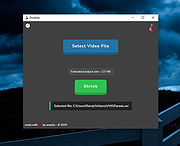 |
| Showing rows 1 to 1 of 1 | Showing Page 1 of 1 | 1 |
OlderGeeks.com Copyright (c) 2026
