|

|
Processed through Paypal No account required. |








Buy our over-priced crap to help pay the bills.



|
|
Processed through Paypal No account required. |
| Files | ||||
| File Name | Rating | Downloads | ||
 |
Alternate QR Code Generator v1.780 Alternate QR Code Generator v1.780 A simple program to generate QR codes (quick response codes). You can modify the size, color and error correction level for QR codes to be generated. Generated QR codes can be either saved as images or copied to the clipboard for the usage within other programs. The program can also be run from command line using parameters. Supported operating systems: Windows NT 4, 95, 98, Me, 2000, XP, Server 2003, Vista, Server 2008, 7, 8, 8.1, 10, 11 Languages included: English, german, french, spanish, polish, slovak, danish, czech, italian, chinese, russian, japanese, hungarian Click here to visit the author's website. |
 |
7,448 | Mar 28, 2022 Alternate Tools 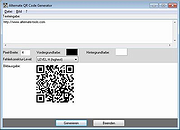 |
|
CodeTwo QR Code Desktop Reader and Generator v1.1.2.4 CodeTwo QR Code Desktop Reader and Generator v1.1.2.4 Scan and generate QR codes on your PC Main features Desktop QR Code reader and generator for Windows Generates QR Codes for your personal or commercial use Decodes QR Codes directly from images on your PC screen Decodes QR Codes from file or clipboard Decodes QR Codes through a webcam Saves QR Code information to a file Free tool What is a QR Code QR Codes (also known as Quick Response Codes) are becoming more and more popular. These two-dimensional codes composed of square dots are now used in various areas of life. You can find them on ads, banners, all kinds of product boxes, websites, business cards and even in email signatures. QR Codes may contain text, links (to websites, videos or files), email addresses, phone numbers, vcards that automatically update your contacts on your PC or a mobile phone, and more. Wondering how to decode a QR Code? You can scan it with your mobile devices like iPhone, iPad, Android or Blackberry equipped with additional software for scanning QR Codes. You might want to check out tools like Barcode Scanner or Red Laser. If you don’t have a mobile device or you need to scan a barcode on your PC, simply use CodeTwo QR Code Desktop Reader & Generator. How this program works QR Code reading CodeTwo QR Code Desktop Reader & Generator is a free tool that will let you quickly scan any QR Code from your screen – be it a part of the website, email, banner or a document. Simply run the program and hit From screen on the top menu. Your standard mouse cursor will change into a cross to help you make ... |
|
2,700 | Sep 14, 2022 CodeTwo  |
 |
CudaText v1.234.4 CudaText v1.234.4 👉 Cross-platform, open-source text editor extensible with Python add-ons. CudaText is a cross-platform text editor written in Object Pascal. It is an open-source project that can be used free of charge (including for business use) and is designed to start quickly. CudaText is extensible via Python add-ons, including plugins, linters, code tree parsers, and external tools, and uses a feature-rich syntax parser based on the EControl engine. It starts quite fast (0.5 sec with ~30 plugins on CPU Intel Core i3 3Hz). It is extensible by Python add-ons (plugins, linters, code tree parsers, external tools). Features: • Syntax highlighting for many programming languages • Code folding • Multi-carets and multi-selections • Rectangular selection • Command palette • Tabbed interface • Split view editing (vertical and horizontal) • Side panel with file explorer • Built-in file tree • Built-in FTP client • Project manager • Snippets support • Auto-completion • Code tree (structure view) • Configurable hotkeys • Configurable UI themes • Configurable color themes • Minimap • Status bar with customizable elements • Lexer-specific settings • Session management • Recent files list • Support for large files • Portable mode support • Plugin system based on Python • Add-ons manager to install plugins, lexers, and themes • Console panel for command output • External tools integration • Multiple encodings support • Line endings support (Windows, Unix, Mac) • Bookmarks • Find and replace with regular expressions • Word wrap and non-wrap modes • Customizable indentation settings • Show invisibles • Ruler and margin configuration • Free and open source, including business use Supported operating systems: • Windows (i386, amd64) • Linux (amd64, arm, aarch64) • macOS (amd64, aarch64) • FreeBSD (i386, amd64), OpenBSD (i386, amd64), NetBSD (i386, amd64), DragonFlyBSD (amd64) • Solaris (amd64) • Haiku (i386, amd64) Supported languages: English, Chinese (Simplified), Chinese (Traditional), Czech, French, French (Switzerland), German, German (Austria), Italian, Japanese, Korean, Portuguese, Russian, Slovak, Slovenian, Spanish, Tamil (India), Tamil (Sri Lanka) Find documentation at the CudaText Wiki. Changes: v1.232.2 06-14-26 - fix: regression: "Unprinted chars" dialog lost translation - fix: improve command "delete word previous" when only 1 space ... |
|
5,919 | Jul 05, 2026 Alexey Yu. Torgashin (R.F.) 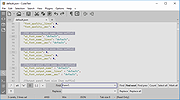 |
|
Grayslate v0.4.0 Grayslate v0.4.0 👉 A fast, free developer scratchpad for working with code, data, text and large files. Grayslate is a free and open source, cross-platform developer scratchpad designed for the small jobs that come up while coding or working with data. Paste an API response, inspect JSON, explore a large CSV, transform or encode text, preview Markdown, work with code snippets or simply capture a quick thought. Grayslate recognizes the content you are working with and puts appropriate transformations at your fingertips. New slates are automatically given useful names and extensions, saved locally as you type and made searchable for later use. Files opened from elsewhere on your computer are only changed when you explicitly save them. All transformations run locally, with no account, cloud upload or telemetry required. Features: • Automatically recognizes pasted or opened content and suggests relevant transformations • Includes more than 80 built-in transformations for code, data and text • Recognizes more than 40 programming, markup and data languages/formats from file extensions, shebangs or content • Automatically names new slates, chooses useful file extensions and saves them locally as you type • Browse recent slates or search saved slates by name and content • Opens text and CSV files up to 200 MB • Rust-backed, virtualized CSV table handles files containing hundreds of thousands of rows while keeping scrolling responsive • JSON tools include formatting, minifying, validation, key sorting, JSON/YAML conversion, JSON-to-CSV, JSON-to-TypeScript and JSON Lines conversion • Right-click JSON keys or values to copy the JSON path, key or value • CSV-to-JSON conversion with automatic delimiter detection • Base64 and Base64URL encoding and decoding • Gzip/Base64 conversion, hexadecimal/ASCII conversion, URL encoding/decoding and HTML entity encoding/decoding • Decode JWT data without verification • Generate SHA-256, SHA-512, SHA-1, MD5 and CRC32 hashes • Text tools include upper, lower, Title, camel, snake, kebab and sPoNgE case conversions • Sort and reverse lines, reverse strings, remove duplicate ... |
|
184 | Aug 27, 2026 Shriram Ethiraj 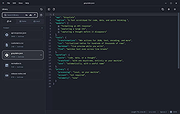 |
|
massCode assistant for Visual Studio Code v1.1.0 massCode assistant for Visual Studio Code v1.1.0 Quick access to massCode app in Visual Studio Abilities Fetch snippets Search snippets Select to paste Create snippets Requirements: massCode v2.4.0 or higher Microsoft Visual Studio About the .VSIX file extension: https://docs.microsoft.com/en-us/visualstudio/extensibility/anatomy-of-a-vsix-package?view=vs-2022 Click here to visit the author's website. |
|
2,907 | Aug 06, 2024 Anton Reshetov 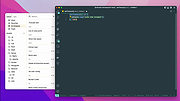 |
|
Morse Code Tools v5.1 Morse Code Tools v5.1 Listen to news and send with a software keyer. Morse News Morse News periodically reads one or more RSS/Atom (news) and/or Twitter timelines/direct messages then translates the received messages into precisely timed International (radio) or American (railroad) Morse code. The Morse code can be played as CW radio tones, old-fashioned spark-gap sounds, telegraph sounder click/clack sounds, or to a physical telegraph sounder connected to a serial port. Split speeds are supported for Farnsworth effects. American code generation includes timing nuances that make it sound natural. The CW and spark-gap sounds can optionally be enhanced with realistic noise, static crashes, and ionospheric-style Raleigh fading. Audio support includes optional low-latency ASIO sound support, inspired by Chuck Vaughan AA0HW for crisp tone keying at QRQ speeds. For museum or other kiosk type use, the Direct Message twitter feed will let your guests send a Twitter message from their mobile phone and have it come out in Morse code. Morse Keyer Morse Keyer is a software keyer that can be keyed via the mouse or a key/paddle connected to a serial port or the Ham Radio Solutions VBand USB Paddle Adapter. It supports straight keying, semi-automatic (bug) keying, and Iambic A or B mode automatic keying. The Morse code can be played as CW radio tones or telegraph sounder click/clack sounds, and low-latency ASIO sound driver output is supported. Optionally, the keyer can key an external telegraph sounder or loop, or a ham rig (while still playing the sound). Since it supports semi-auto keying, it can be used to send American morse code (a single-lever paddle is best for this). It's design can support low-latency audio systems (ASIO) and produces precise timing even at high QRQ speeds. See the article referenced below. Click here to visit the author's website. |
|
1,888 | Jul 20, 2023 Bob Denny 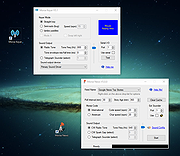 |
|
Neovim v0.12.4 Neovim v0.12.4 👉 Hyperextensible Vim-based text editor focused on usability and modern development. Neovim is a powerful, extensible text editor built as a refactor of Vim, designed to improve maintainability, usability, and plugin development. It provides a modern codebase with enhanced APIs, asynchronous job control, and built-in Language Server Protocol support, making it well-suited for programming and advanced text editing workflows. Neovim maintains strong compatibility with Vim while introducing a more developer-friendly architecture and improved user experience. Features: • Vim-compatible modal editing • Built-in Language Server Protocol (LSP) support • Asynchronous job control and event-driven architecture • Embedded Lua scripting for fast, modern configuration • Remote plugin support (Python, Node.js, Ruby, and more) • Terminal emulator built-in • Tree-sitter integration for advanced syntax highlighting • Highly customizable key mappings and workflows • Cross-platform support Supported operating systems: • Windows 10, Windows 11 • macOS 10.15 or later • Linux • FreeBSD Supported languages: • English Changes: v0.12.4 07-05-26 FEATURES - fec4045 lsp: clean up semantic token initialization and debounce #40266 - 55205b3 lsp: use LspNotify for semantic tokens (#40242) PERFORMANCE - fded370 lsp: overscan semantic_token range requests #40036 - fa365ce treesitter: reduce memory usage of _select.lua #40409 FIXES - e57c37d api: nvim_buf_set_text resets changelist to 0 #39965 - ea07b60 api: preserve ArrayOf metadata #40429 - 5ff4e14 cmdline: avoid redraw loop after wrapped line #40240 - a0d7e80 folds: foldcolumn is interrupted for virtual line above nested fold (#39999) - a4cfded health: always set 'modifiable' #40584 - 7fd0f54 health: don't check node package via yarn #40572 - 749126d highlight: keep guisp underline color in float with 'winblend' #40283 - 5c38490 lsp: allow specifying bufnr + client_id filter when enabling capabilities #37690 - c81ab60 lsp: catch another nil buffer state #40285 - bf8d0be lsp: fire LspNotify didChange autocmds after undo/redo #40404 - 41dbb82 lsp: fix multiline semantic token processing (#40340) - 3dd3a6c lsp: make LspNotify more robust (#40341) - ecda676 lsp: refresh codelens despite pending debounce #40177 - 822d969 lsp: request semantic tokens in BufWinEnter #40513 - fd27246 lsp: skip invalid file watcher globs ... |
|
2,313 | Jul 06, 2026 Neovim team 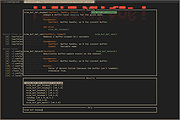 |
|
Notepad++ v8.9.8.1 Notepad++ v8.9.8.1 👉 Free source code editor and Notepad replacement that supports multiple programming languages. Notepad++ is a powerful text and source code editor designed as a lightweight replacement for Windows Notepad. Built on the Scintilla editing component, it provides advanced editing features, syntax highlighting, and extensive customization options while maintaining fast performance and low resource usage. Notepad++ supports a wide range of programming and scripting languages and includes features such as tabbed editing, code folding, search and replace with regular expressions, and macro recording. Its plugin system allows users to extend functionality with additional tools and enhancements. Features: • Syntax highlighting and syntax folding • Multi-document tab interface • Powerful search and replace with regular expression support • Macro recording and playback • Plugin support for extended functionality • Auto-completion and customizable GUI • Lightweight and optimized for performance Supported operating systems: • Windows 7, Windows 8, Windows 10, Windows 11 Supported languages: English, Chinese (Simplified), Chinese (Traditional), French, German, Italian, Japanese, Korean, Spanish, Russian, and more Changes: v8.9.8.1 09-24-26 Vulnerability: Fix crash caused by “Open file” & “Search on Internet” commands. CVE ID not assigned yet Vulnerability: Fix Function List array out-of-bounds risks when parsing functions. CVE ID not assigned yet Vulnerability: Fix UAC operations performed without verifying the caller. CVE ID not assigned yet Vulnerability: Fix incomplete UNC detection allowing NTLM leak bypass. CVE ID not assigned yet Vulnerability: Fix crash of NPPM API when invalid value passed as argument. CVE ID not assigned yet Regression: Fix failure to open files via Notepad++ symlink paths. (Fix #18314) Fix a crash after canceling UAC saving operation. (Fix commit) Fix Network Path Warning dialog usability problem. (Fix #18319 (comment)) Fix symlinks setting for Folder as Workspace not ... |
|
10,538 | Sep 25, 2026 Don Ho 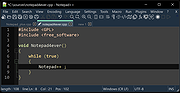 |
|
PilotEdit Lite v21.5.0 PilotEdit Lite v21.5.0 👉 Free text and hex editor designed for working with large files and advanced text processing tasks. PilotEdit Lite is a lightweight yet powerful text and source code editor built for users who need to handle large files, perform advanced search and replace operations, edit hex data, and manage coding projects efficiently. The Lite edition provides many of the core editing and file management tools found in the full version while remaining free for personal use. It is especially useful for programmers, web developers, log file analysis, and anyone working with very large text files that standard editors may struggle to open or process smoothly. Features: • Open and edit large text files • Syntax highlighting for multiple programming languages • Hex editor mode for binary file editing • Advanced multi-line search and replace • Column mode editing • Regular expression support • File compare functionality • FTP and SFTP file transfer support • Unicode and UTF-8 support • Customizable text encoding options • Line sorting and duplicate removal tools • Powerful file search across directories • Bookmark support for quick navigation • Word wrap and split window editing • Configurable keyboard shortcuts • Session and workspace management • Automatic file backup support • Portable version available Supported File Types: AHK Script, ASP, ASP.NET, AngularJS TypeScript, Apache Pig Latin Script, Assembly, AutoIt Script, BAT/CMD, C#, C/C++, COBOL, CSS, CSV, Conf, D Programming, DSV, Eiffel, Erlang, F#, Go, Groovy, HTML, Haskell, INF, INI, Inno Setup Script, J#, JSON, JSP, Java, Javascript, LESS, LISP, LaTex, Log, Lua, MATLAB, Markdown, MicroBasic Pro, PHP, Pascal, Perl, PilotEdit Script, PowerShell Script, Python, R Programming, REXX, RHTML, Ruby, SQL, Scala, TCL/TK, TSV, Text, Textile, UNIX/Linux Shell, VC++ Resource, Visual Basic, XHTML, XML Supported operating systems: • Windows 7, Windows 8, Windows 10, Windows 11, Windows Server 2008, Windows Server 2012, Windows Server 2016, Windows Server 2019, Windows Server 2022 Supported languages: Arabic, Dutch, English, Finnish, French, German, Hindi, Italian, ... |
|
9,983 | Oct 07, 2026 PilotEdit 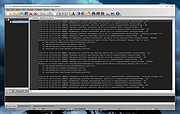 |
|
QR Code Generator v1.0.0.0 QR Code Generator v1.0.0.0 Free, portable tool to generate QR Codes offline. QR Code Generator is a small utility to fill the gap left by the lack of reliable offline software capable of generating QR Codes. Most users needing to create their own QR Codes must rely on online services which often fail to deliver on their promises, and frequently expose users to hidden threats such as tracking and other privacy risks. QR Code Generator was developed as an essential, secure, and fast utility designed to meet most of the needs related to this technology. The result is a product that is extremely easy to use, highly intuitive, leaves no trace on the system, and consumes very few resources. Features: • Generate QR Codes offline, keeping all your data safe on your device. • Full transparency with no hidden connections or background processes. • Reliable performance without relying on internet or external servers. • Your information stays private, with zero data uploads or sharing. • Clean and accurate QR Codes, fully compliant with scanning standards. • No ads, no tracking, just a focused and professional experience. • Lightweight software that runs fast and smoothly on any system. • Simple, clear interface designed for stability and ease of use. • No cloud dependency, perfect for secure and sensitive environments. • A trustworthy tool built with respect for your privacy and control. System Requirements: .NET Framework 4.8 or higher Windows 8, 10, 11 Click here to visit ... |
|
794 | Aug 19, 2025 Mariano Ortu 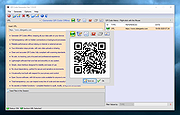 |
|
RackPeek v2.0.0 RackPeek v2.0.0 👉 Self-hosted CLI + Web UI for documenting and managing your home lab or small-scale IT infrastructure. RackPeek is a lightweight, opinionated CLI tool and Web UI designed to help you document, manage, and understand your home lab or small-scale IT environment without the usual enterprise bloat. It focuses on tracking your hardware, services, networks, and the relationships between them in a clear, structured way, using simple, scriptable YAML so you can version-control your infrastructure documentation alongside the rest of your homelab configs. Whether you are building out a rack, organizing a growing pile of mini PCs, or trying to keep straight which VLAN feeds which switch and what runs where, RackPeek gives you a clean, self-hosted “single pane of glass” that is easy to deploy and easy to maintain. Features: • Lightweight, opinionated CLI tool with a companion Web UI for homelab and small-scale IT documentation • Tracks infrastructure as structured data (YAML), making it easy to store in Git and share or review changes over time • Models relationships between resources (hardware, services, networks, and more) to help keep complex setups understandable • Multi-node / clustered system modeling (multiple parents per resource can be defined) • Key value pair labels for more flexible organization and filtering • Basic Ansible inventory generator tool • JSON Schema v2 definition for safer configuration authoring and validation • Safe schema versioning with backup and migration strategy • Improved embedded documentation plus general polish and bug fixes Supported operating systems: • Windows, macOS, Linux Supported languages: English Changes: v2.0.0 06-13-26 What's New Web UI Added /visualise with live Physical and Logical network diagrams from inventory data. Added Save PNG and Save Mermaid (.mmd) export options. Added compact topology preview cards to the home dashboard. Improved YAML import and edit errors with line, column, and contextual snippets. CLI ... |
|
754 | Jul 06, 2026 Tim Jones 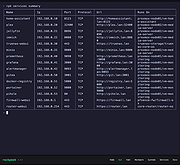 |
|
Simple Code Generator v1.0.1 Simple Code Generator v1.0.1 A simple code generator (QR, Barcode MSI, 128, 39, Aztec Code and Matrix Code). Uses: .Net 6.0 and Zxing 4.0 library (dll) Click here to visit the author's website. |
|
2,956 | Oct 11, 2023 Lextrack 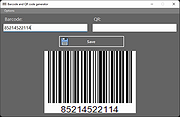 |
|
Visual Code Studio v1.130 Visual Code Studio v1.130 👉 Lightweight but powerful source code editor with extensive customization and extensions. Visual Studio Code is a free, open-source code editor developed by Microsoft that supports a wide range of programming languages and development workflows. It provides a fast and responsive editing experience with features like intelligent code completion, debugging tools, built-in Git integration, and an extensive extension marketplace. Visual Studio Code is designed to be highly customizable, allowing developers to tailor the editor to their specific needs with themes, keybindings, and plugins. Features: • IntelliSense for smart code completion and suggestions • Built-in debugging tools for multiple programming languages • Integrated Git version control support • Extensive extension marketplace for added functionality • Customizable interface with themes and keyboard shortcuts • Cross-platform support with consistent performance • Integrated terminal for command-line operations • Support for remote development and containers Supported operating systems: • Windows 10, Windows 11 • macOS 10.15 or higher • Linux (Debian, Ubuntu, Red Hat, Fedora, SUSE) Supported languages: English, Chinese, French, German, Italian, Japanese, Korean, Spanish, Portuguese, Russian Changes: v1.130.0 07-22-26 • Added the new agent host, allowing AI agent sessions to run in a dedicated process that can be shared across multiple VS Code windows. • Improved the Agents window with compact multi-file diffs, file-level change statistics, compact quick chats, and worktree support for all supported agent harnesses. • Added assisted tool approvals, allowing the AI model to evaluate tool-call risk and reduce unnecessary approval prompts. • Added chat timestamps and aggregate AI credit usage visibility for GitHub Copilot Business and Enterprise users. • Added clickable file links in Git terminal diff output when Git mnemonic prefixes are enabled. • Updated the VS Code codebase and extension to use the release version of TypeScript 7. This download is for the Windows 64bit System Setup version (very ... |
|
6,231 | Jul 26, 2026 Microsoft Corp. 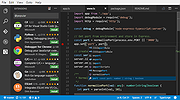 |
| Showing rows 1 to 13 of 13 | Showing Page 1 of 1 | 1 |
OlderGeeks.com Copyright (c) 2026
