|

|
Processed through Paypal No account required. |








Buy our over-priced crap to help pay the bills.



|
|
Processed through Paypal No account required. |
| Files | ||||
| File Name | Rating | Downloads | ||
 |
Clavier+ v11.3.1 Clavier+ v11.3.1 Free program that allows associating an action to any keyboard shortcut. Actions: • launch a program or an app: Microsoft Word, calculator, Internet browser, etc. • display a website • open a folder: My documents, C:, external hard drive, etc. • write special characters: ® and © symbols, currency symbols like € or ¥, etc. • write text: E-mail address, company name, etc. in any program (Microsoft Word, Internet browser, Notepad) • simulate keystrokes, for example to execute a command in the menus of a program • simulate mouse moves, clicks, and mouse wheel scrolls The keyboard shortcuts can use (almost) any key of the keyboard. The Windows key, located around the spacebar, can be used along with Ctrl, Alt and Shift. As programs rarely use this key, many simple keyboard shortcuts are available to you: Win + Ctrl + A, Win + ., etc. Clavier+ can modify the behavior of special keys like ` or F11. Thus a keyboard shortcut of one single key can be associated to a frequently used action. If necessary, the action of a keyboard shortcut can depend of the active program. This allows adding shortcuts to a specific program. Likewise, the action of a keyboard shortcut can depend of the state of the toggle keys, i.e. the keys having small lights in the keyboard: Caps Lock, Num Lock, Scroll Lock. For example, this allows writing special characters instead of digits when the caps lock mode is set. Create a keyboard shortcut: Launch Clavier+. A small keyboard icon appears in the taskbar notification area next to the system clock. It indicates that Clavier+ is running and keyboard shortcuts are active. Click the icon to display the ... |
 |
6,067 | Jun 12, 2023 UtilFr 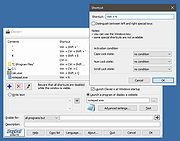 |
| Showing rows 1 to 1 of 1 | Showing Page 1 of 1 | 1 |
OlderGeeks.com Copyright (c) 2026
