|

|
Processed through Paypal No account required. |








Buy our over-priced crap to help pay the bills.



|
|
Processed through Paypal No account required. |
| Files | ||||
| File Name | Rating | Downloads | ||
 |
Slimjet v50.0.0.0 Slimjet v50.0.0.0 👉 Fast and feature-rich Chromium-based web browser focused on privacy and productivity. Slimjet is a powerful web browser built on the Chromium engine, offering high-speed browsing combined with enhanced privacy protection and built-in productivity tools. It includes features that go beyond standard browsers, such as advanced download management, form filling, ad blocking, and video downloading. Slimjet is designed to improve user efficiency while minimizing tracking and unwanted data collection, making it a strong alternative to mainstream browsers. Features: • Built on Chromium for fast and secure browsing • Integrated ad blocker and anti-tracking protection • Built-in video downloader for various websites • Advanced download manager with acceleration • Automatic form filler and password manager • Customizable toolbar and interface options • Flexible tab management and session control • Photo salon for quick image editing and enhancement • Supports Chrome extensions • Privacy-focused with reduced data collection Supported operating systems: • Windows 7, Windows 8, Windows 10, Windows 11 • macOS 10.10 or higher • Linux Supported languages: English, German, French, Spanish, Italian, Portuguese, Dutch, Polish, Russian, Chinese, Japanese, Korean Changes: v50.0.0.0 04-18-26 Migrate to Chromium 144 This download is for the Windows 64bit installer version (very bottom of page). All other download assets are below: Other Windows: sjtsetup_x86.exe (32bit installer) sjt7z_x64.exe (64bit portable) sjt7z_x86.exe (32bit portable) MacOS: slimjet.dmg (Intel) slimjet_arm.dmg (Apple Silicone) Linux: slimjet_amd64.deb slimjet_amd64.tar.xz Click here to visit the author's website. |
 |
3,204 | Apr 20, 2026 FlashPeak Inc.  |
|
uBlock Origin Lite v2026.628.2035 uBlock Origin Lite v2026.628.2035 👉 Lightweight Manifest V3 content blocker that blocks ads, trackers, and other unwanted web content. uBlock Origin Lite is a lightweight, Manifest V3-based content blocker designed to efficiently block ads, trackers, cryptominers, and other unwanted web content while using minimal CPU and memory. Unlike the original uBlock Origin, uBlock Origin Lite relies on the browser's declarative filtering engine, allowing filtering to occur without a continuously running background process. This approach improves efficiency while remaining compatible with modern browser extension requirements. Users can select different filtering modes and enable additional filter lists through the extension's options page to increase protection. uBlock Origin Lite includes the standard uBlock Origin filter set by default, including EasyList, EasyPrivacy, Peter Lowe's Ad and Tracking Server List, and uBlock's own built-in filters. It is ideal for Chromium-based browsers that require Manifest V3-compatible extensions while also supporting Firefox and Safari versions built for the new extension architecture. Features: • Blocks advertisements, trackers, cryptominers, and malicious domains • Built on the Manifest V3 extension platform • Uses the browser's declarative filtering engine for low resource usage • No permanent background process required • Includes uBlock Origin default filter lists • Supports additional optional filter lists • Multiple filtering modes for different levels of protection • Fast startup with minimal CPU and memory consumption • Open source under the GPL-3.0 license • Available for Chromium-based browsers, Firefox, Microsoft Edge, and Safari Supported operating systems: • Windows 10, Windows 11 • macOS 13.7 or higher • Linux (via supported Chromium-based browsers or Firefox) • ChromeOS • iOS 18.6 or higher (Safari) • iPadOS 18.6 or higher (Safari) Supported languages: English Changes: v2026.628.2035 06-28-26 Updated filter lists. This download is for the Firefox version (very bottom of page). If you need the Google Chrome version, download here. If you need the Microsoft Edge version, download here. If you need the Apple Safari version, download here. Click here to visit the author's website. |
|
312 | Jul 05, 2026 Raymond Hill 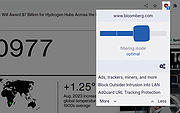 |
|
uBlock Origin v1.72.0 uBlock Origin v1.72.0 👉 Efficiently block ads, trackers, malware, and other unwanted web content. uBlock Origin is a free, open-source, wide-spectrum content blocker designed to improve privacy, security, and browsing performance while using minimal CPU and memory. Rather than focusing only on advertisements, it blocks trackers, malicious domains, cryptocurrency miners, popups, anti-adblock scripts, and many other forms of unwanted web content. It supports multiple filter lists out of the box, while also allowing advanced users to create custom filtering rules and import additional lists. uBlock Origin is known for its efficiency, making it one of the lightest and fastest content blockers available. Note: Google Chrome has removed support for Manifest V2 extensions. The full version of uBlock Origin is best supported on Firefox. Chromium-based browsers need uBlock Origin Lite. Features: • Blocks ads, trackers, malware sites, popups, cryptocurrency miners, and other unwanted content • Lightweight design with low CPU and memory usage • Includes EasyList, EasyPrivacy, Peter Lowe's Blocklist, Online Malicious URL Blocklist, and uBlock Origin filter lists by default • Supports additional community filter lists and custom filters • Dynamic filtering for advanced users • Cosmetic filtering to hide unwanted page elements • Supports hosts files • Import and export custom settings and filter lists • Per-site blocking controls • Free and open source (GPLv3) Supported operating systems: • Windows 10, Windows 11 • macOS • Linux • Firefox for Android Supported languages: English, Arabic, Bulgarian, Catalan, Chinese (Simplified), Chinese (Traditional), Croatian, Czech, Danish, Dutch, Estonian, Finnish, French, German, Greek, Hebrew, Hindi, Hungarian, Indonesian, Italian, Japanese, Korean, Lithuanian, Norwegian Bokmεl, Persian, Polish, Portuguese, Portuguese (Brazil), Romanian, Russian, Serbian, Slovak, Slovenian, Spanish, Swedish, Thai, Turkish, Ukrainian, Vietnamese, Welsh, and others. Changes: v1.72.0 06-28-26 Fix broken rendering of final URL in strict-block page. Fix potential exception in set-attribute scriptlet. Improve parsing and interpretation of consecutive $$ in network filters. Improve googlesyndication_adsbygoogle shim. Add edit-object-on-getter and edit-object-on-setter scriptlets. Improve JSONPath support, including regex selectors, RFC9535 conformance, double-quoted names, and ... |
|
299 | Jul 05, 2026 Raymond Hill  |
|
Vivaldi v8.0.4033.44 Vivaldi v8.0.4033.44 👉 Highly customizable web browser built for power users, privacy, and productivity. Vivaldi is a feature-rich Chromium-based web browser designed for users who want extensive control over their browsing experience. Created by former Opera developers, Vivaldi focuses on customization, efficiency, privacy, and integrated productivity tools rather than simplified mainstream browsing. It combines advanced tab management, built-in communication tools, customizable interface layouts, and strong privacy protections into a single browser package. Vivaldi allows users to tailor nearly every aspect of the interface, including tab placement, themes, keyboard shortcuts, gestures, toolbars, and panel layouts. The browser includes built-in features such as Mail, Calendar, Feed Reader, Notes, screenshot capture, ad and tracker blocking, Workspaces, split-screen tab tiling, and powerful session management tools. Unlike many browsers that rely heavily on extensions for advanced functionality, Vivaldi includes many professional-grade tools directly within the browser itself. Features: • Chromium-based browser engine for modern website compatibility • Highly customizable user interface and layout controls • Advanced tab stacking, tiling, and grouping features • Workspaces for organizing projects and browsing sessions • Built-in Mail, Calendar, and RSS Feed Reader • Integrated Notes tool with webpage attachments and screenshots • Custom keyboard shortcuts and mouse gestures • Built-in ad blocker and tracker protection • Split-screen browsing with tab tiling support • Sidebar web panels for quick access to websites and tools • Session saving and restoration tools • Command Chains for creating browser automation shortcuts • Quick Commands search interface for tabs, bookmarks, and settings • Extensive theme customization with scheduling support • Bookmark manager with nickname and folder organization • Built-in screenshot and page capture utility • Sync support for bookmarks, passwords, history, tabs, and settings • Reader View for distraction-free reading • Compatible with Chrome Web Store extensions • Privacy-focused browsing with reduced telemetry Supported operating systems: • Windows 10, Windows 11 • macOS 11 Big Sur or higher • Linux Debian, Ubuntu, Fedora, openSUSE, RHEL, Arch Linux • Android 8.0 or higher • ... |
|
6,552 | Jun 09, 2026 Vivaldi Technologies 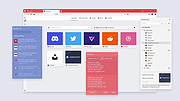 |
| Showing rows 1 to 4 of 4 | Showing Page 1 of 1 | 1 |
OlderGeeks.com Copyright (c) 2026
