|

|
Processed through Paypal No account required. |








Buy our over-priced crap to help pay the bills.



|
|
Processed through Paypal No account required. |
| Files | ||||
| File Name | Rating | Downloads | ||
 |
Clippy v0.4.3 Clippy v0.4.3 👉 A retro-style local AI chat app that runs GGUF large language models on your computer. Clippy lets you run a variety of large language models locally on your computer while using a nostalgic 1990s-style interface. It supports GGUF models through llama.cpp, includes one-click installation support for select models, and is designed as both a fun homage to Microsoft Office’s classic Clippy assistant and a reference implementation for Electron-based local LLM apps. Features: • Simple, familiar, and classic chat interface for chatting with local models. • Runs a variety of GGUF large language models locally on your computer. • Uses llama.cpp and node-llama-cpp to automatically discover the most efficient runtime path, such as Metal, CUDA, or Vulkan. • Includes one-click installation support for Google Gemma3, Meta Llama 3.2, Microsoft Phi-4, and Qwen Qwen3. • Lets you load your own downloaded models. • Allows custom prompts and parameter adjustments. • Works offline and locally, with the only network request being update checks, which can be disabled. • Styled as a love letter and homage to the late, great Clippy and 1990s Microsoft visual design. • Intended as a reference implementation of @electron/llm for developers building Electron apps with local language models. Supported operating systems: • Windows • macOS (Apple Silicon), macOS (Intel) • Linux (RPM, x64), Linux (Debian, x64) Supported languages: English Changes: v0.4.3 05-08-25 We still had issues with the incorrect native binaries making it into the build, breaking Clippy for Macs with Intel processors. This should finally be fixed. We figured it out! To move the Clippy icon to another position on your desktop: Left click on the icon, hold and drag it like normal but you have to hover your cursor over a part of Clippy that doesn't show a question mark. Like this: This download is for the Windows 64bit installer version (very bottom of page). All other download assets are below: Other Windows: Clippy-win32-x64-0.4.3.zip macOS: Clippy-darwin-arm64-0.4.3.zip Clippy-darwin-x64-0.4.3.zip Linux: clippy_0.4.3_amd64.deb Clippy-0.4.3-1.x86_64.rpm Click here to visit the author's ... |
 |
841 | Mar 25, 2026 Felix Rieseberg 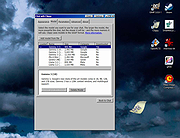 |
|
Delta Chat v1.15.5 Delta Chat v1.15.5 Delta Chat is like Telegram or Whatsapp but without the tracking or central control. Delta Chat does not need your phone number. Check out their privacy statement. Delta Chat doesn’t have their own servers but uses the most massive and diverse open messaging system ever: the existing e-mail server network. Chat with anyone if you know their e-mail address, no need for them to install DeltaChat! All you need is a standard e-mail account. Screenshots Android, Desktop and iOS The desktop versions do not require Delta Chat to be installed on a phone. Minimal requirements: Android 4.1 Jelly Bean or iOS 11, iPhone 5s or iPad 5/Air/Mini or Windows 7, macOS 10.10 Yosemite, Ubuntu 12.04, Fedora 21 or Debian 8 or compatible systems. This download is for the Windows Desktop Setup version. If you need the Windows Desktop Portable version (experimental), download here. If you need the Android Google Play Store version, download here. If you need the Android Amazon Appstore version, download here. If you need the iPhone/iPad version, download here. If you need the MacOS AppStore version, download here. If you need the MacOS .dmg version, download here. Homebrew manual install: brew install --cask deltachat If you need the Linux Debian version, download here. If you need the Linux AppImage version, download here. Flatpak manual install: flatpak install flathub chat.delta.desktop Arch manual install: yay -S deltachat-desktop-git Click here to visit the author's website. |
|
3,802 | Apr 07, 2021 Delta Chat contributors 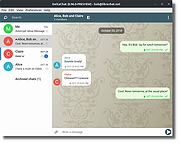 |
|
Discord portable v1.0.9232-25 Discord portable v1.0.9232-25 👉 Portable Discord desktop client for voice, video, and text chat. Discord portable is a portable Windows build of Discord made with Portapps. It lets you use Discord for voice calls, video calls, direct messages, servers, and community chat while storing its portable data in a local folder instead of a standard installed profile. Portapps also notes that this build forces the Electron user data path to the data folder, disables app update checks, and creates a temporary shortcut for native notifications while Discord is running. Features: • Portable Discord package for Windows • Voice, video, and text chat with friends and communities • Works with Discord servers, channels, and direct messages • Stores Electron user data in the portable data folder • App update checks are disabled by Portapps for portability • Creates a temporary shortcut to support native notifications • Simple upgrade process by installing the latest portable setup over the current one Supported operating systems: • Windows 10, Windows 11 Supported languages: English (US), English (UK), Bulgarian, Chinese (Simplified), Chinese (Traditional), Croatian, Czech, Danish, Dutch, Finnish, French, German, Greek, Hindi, Hungarian, Indonesian, Italian, Japanese, Korean, Lithuanian, Norwegian, Polish, Portuguese (Brazil), Romanian, Russian, Spanish (Spain), Spanish (Latin America), Swedish, Thai, Turkish, Ukrainian, Vietnamese Changes: v1.0.9232-25 04-13-26 Discord 1.0.9232 Portapps 3.18.0 Click here to visit the author's website. |
|
6,585 | Apr 19, 2026 CrazyMax and Discord  |
|
HopToDesk v1.46.50 WARNING: If someone you don’t know called you... or you dialed a number that suddenly appeared on your screen... and they told you to download this program... IT IS A SCAM. HANG UP IMMEDIATELY! HopToDesk v1.46.50 👉 Free and secure remote desktop software with screen sharing, remote control, file transfer, and live chat. HopToDesk is a free remote desktop tool that lets you share your screen, remotely control computers and devices, transfer files, and chat during support sessions. It is free for personal and commercial use, open source, and uses end-to-end encryption for screen sharing, chats, and file transfers. Features: • Remote desktop control • Screen sharing • File transfer • Live chat • End-to-end encrypted traffic • Free for personal and commercial use • Open source • Portable mode on Windows • Installed mode with background service support • Unattended access with permanent password • Direct IP access • IP whitelisting • SOCKS5 proxy connections • Remote terminal • Port forwarding • Camera / view-only mode • Quick Support mode • Address book and tags • LAN discovery • Multiple screen support • Remote printing on Windows and macOS • Audio streaming • Session recording • Screenshots • Switch sides during a session • Privacy mode on Windows and macOS • Two-factor authentication • Clipboard sync permission control • File transfer permission control • Remote restart permission control • TCP tunneling permission control • Wake On LAN permission support Supported operating systems: • Windows XP, Windows 7 or newer • macOS 10.14 Mojave or newer • Ubuntu 18.04 or newer, Debian 9 or newer, CentOS 7 or newer, openSUSE 42/15 or equivalent, Fedora, Manjaro, AppImage, Flatpak • FreeBSD 13 or newer • Raspberry Pi 2 and newer • ChromeOS devices compatible with Google Play • Android 5.0 or newer • iOS 11.0 or newer Supported languages: English, French, Spanish, Portuguese, German, Dutch, Polish, Czech, Norwegian, Swedish, Russian, Turkish, Hebrew, Arabic, Bahasa, Vietnamese, Simplified Chinese, Traditional Chinese, Japanese, Korean, Thai Changes v1.46.50 09-12-2026 Wayland, Windows Server and other Linux improvements, translation updates. This download is for the Windows 64bit version (very bottom of ... |
|
4,657 | Sep 16, 2026 HopToDesk 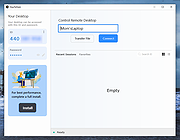 |
|
ICQ Reborn v1.5 ICQ Reborn v1.5 👉 Brings the classic ICQ experience back to life with real private messaging. ICQ Reborn is a free fan-made recreation of the classic ICQ instant messenger from the 2001–2003 era. Rebuilt from scratch as a native Windows application, it recreates the familiar compact interface, numeric UIN accounts, contact list, notification sounds and straightforward one-to-one messaging of the original while connecting to its own live private messaging server. It is not connected to the original ICQ service, so old ICQ accounts, UINs, contacts and messages cannot be recovered or transferred. New users can register directly inside the program and receive their own numeric UIN. Messages sent while a contact is offline are stored for delivery when that person returns, complete with accurate timestamps. The client also automatically reconnects when a connection is interrupted. Features: • Faithful recreation of the classic 2001–2003 ICQ client • Real messaging through the ICQ Reborn private server • Classic numeric UIN account numbers • Built-in account registration with no separate website required • Familiar ICQ-style contact list and compact interface • Authentic classic ICQ notification sounds • Online and offline status sounds • Classic "Uh-Oh" incoming-message sound • Offline messaging for contacts who are not currently connected • Accurate timestamps for messages delivered after a user returns • Automatic reconnection if the network connection drops • No separate .NET installation required Supported operating systems: • Windows 10, Windows 11 Supported languages: English Changes: v1.5 08-16-26 • Added end-to-end encryption • Added typing indicators • Added message read receipts • Added contact authorization requests • Added user search by UIN • Added user search by nickname • Added profile information • Added profile editing • Added custom status messages • Added contact groups • Added contact renaming • Added message history • Added sound settings • Added minimize to tray • Added start with Windows option • Added automatic update checking • Added connection status indicator • Added various UI improvements and bug fixes Click here to visit the author's website. |
|
213 | Aug 17, 2026 ICQ Reborn Project 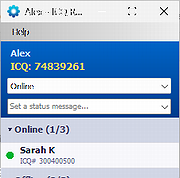 |
|
OnionShare v2.6.5 OnionShare v2.6.5 👉 Securely and anonymously share files, receive files, host websites and chat over the Tor network. OnionShare is a free, open-source privacy tool that lets you securely and anonymously share files, receive files, host websites and chat with others using the Tor network. Instead of uploading your data to a third-party file-sharing service, OnionShare runs a Tor onion service directly on your computer and provides a unique .onion address that others can open using Tor Browser. OnionShare provides separate modes for sending and receiving files, publishing an onion website and creating anonymous chat rooms. The application handles the Tor connection for you and can create temporary or persistent onion services depending on how you want to use it. Because transfers take place through the Tor network, users do not need to expose their public IP addresses to one another. Features: • Securely and anonymously shares files through the Tor network • Receives files directly from other users without relying on a conventional cloud storage provider • Hosts websites as Tor onion services directly from your computer • Creates private anonymous chat rooms • Generates .onion addresses that recipients can open with Tor Browser • Allows multiple Share, Receive, Website and Chat tabs to be used at the same time • Supports persistent onion addresses for services you want to reuse • Provides ephemeral onion services when a permanent address is not needed • Keeps chat history from being permanently stored by OnionShare • Assigns chat participants random names, which they can change • Includes its own Tor connectivity for normal desktop use • Supports Tor bridges for networks where direct Tor connections are restricted • Provides a graphical desktop application and command-line interface • Open-source software released under the GNU GPLv3 license • Does not require users to create accounts with OnionShare Supported operating systems: • Windows • macOS • Linux Supported languages: Afrikaans, Albanian, Arabic, Belarusian, Bengali, Bulgarian, Catalan, Chinese (Simplified), ... |
|
5,565 | Aug 19, 2026 Lockdown Systems 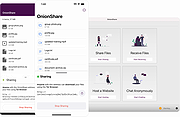 |
 |
Telegram Desktop v6.9.1 Telegram Desktop v6.9.1 Fast, secure, and powerful messaging app for desktop devices. Telegram Desktop is a cloud-based messaging application that allows users to send messages, share media, and stay connected across multiple devices seamlessly. It syncs instantly with your mobile Telegram app and offers a fast, secure, and fully featured messaging experience directly from your computer. Telegram Desktop supports private chats, group conversations, and large channels with thousands of members. It includes advanced features such as file sharing up to 2 GB per file, voice and video calls, animated stickers, bots, and customizable themes. Messages are stored securely in the cloud, ensuring access from any authorized device. Secret chats with end-to-end encryption are available on supported devices for enhanced privacy. With a clean interface and efficient performance, Telegram Desktop provides a reliable communication platform for both personal and professional use. Features: • Fast cloud-based messaging with real-time sync • Send messages, photos, videos, and files up to 2 GB • Voice and video calls • Large group chats and broadcast channels • End-to-end encrypted Secret Chats (on supported devices) • Animated stickers, emojis, and GIF support • Bots and automation tools • Customizable themes and interface options • Cross-platform synchronization Supported operating systems: • Windows 10, Windows 11 • macOS 10.13 or higher • Linux Supported languages: English, Spanish, German, French, Italian, Portuguese, Russian, Ukrainian, Arabic, Persian, Turkish, Indonesian, Malay, Korean, Japanese, Chinese, Polish, Dutch, Thai, Vietnamese, Hindi and more Changes: v6.9.1 06-09-26 Fix sending several same custom emoji. Fix some rich messages layout glitches. This download is for the Windows 64bit portable version (very bottom of page). All other download assets are below: Other Windows: tportable.6.9.1.zip tsetup-x64.6.9.1.exe tsetup.6.9.1.exe MacOS: tsetup.6.9.1.dmg Linux: tsetup.6.9.1.tar.xz Click here to visit the author's website. |
|
10,323 | Jun 11, 2026 telegram.org  |
| Showing rows 1 to 7 of 7 | Showing Page 1 of 1 | 1 |
OlderGeeks.com Copyright (c) 2026
