|

|
Processed through Paypal No account required. |








Buy our over-priced crap to help pay the bills.



|
|
Processed through Paypal No account required. |
| Files | ||||
| File Name | Rating | Downloads | ||
 |
CPU-Z v3.0.1 CPU-Z v3.0.1 👉 Free system profiling tool that provides detailed information about your CPU, motherboard, memory, and more. CPU-Z is a lightweight diagnostic utility designed to provide in-depth information about your computer’s hardware. It identifies the processor name and number, codename, process, package, cache levels, and real-time core frequency. It also reports detailed information about the motherboard including chipset, BIOS version, and graphic interface details. CPU-Z displays memory information such as type, size, timings, and specifications (SPD), making it especially useful for verifying RAM configurations. The software also includes a built-in benchmark and stress test to evaluate processor performance and compare results with other systems. Features: • Processor name, codename, architecture, process, package, and cache details • Real-time core frequency and multiplier monitoring • Mainboard manufacturer, model, chipset, and BIOS information • Memory type, size, timings, and SPD data for each module • Graphics interface information • Built-in CPU benchmark and stress test • Validation feature to share system configuration Supported operating systems: • Windows 7, Windows 8, Windows 10, Windows 11 Supported languages: English, French, Spanish, German, Italian, Portuguese, Chinese (Simplified), Chinese (Traditional), Japanese, Korean, Russian Changes: v3.0.1 08-20-26 CPU-Z Validator V3 (more information *at that address*). 👉 This download is for the Windows version (very bottom of page). All other download assets are below: Other Windows: cpuz-arm64_1.05.zip (ARM64) cpu-z_1.04-win9x.zip (Vintage Edition for Windows 95/98) Click here to visit the author's website. |
 |
9,391 | Oct 01, 2026 CPUID 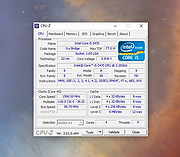 |
|
CPUID Instruction Viewer v1.0.0.2 CPUID Instruction Viewer v1.0.0.2 Utility to View Information About CPU. CPUID Instruction Viewer is a small utility designed to help developers view technical information returned by the CPUID instruction from the x86 and x86-64 instruction sets. The CPUID instruction returns results about the capabilities and features supported by the processor that this utility is running on. Such results are intended to be viewed along with the accompanying Intel or AMD technical documentation. This utility does not require installation and can be run from any location on the disk. Windows XP/Vista/7/8/10 & Windows Server 2003/R2/2008/R2/2012/R2/2016 Click here to visit the author's website. |
|
3,442 | May 27, 2021 Dennis Babkin 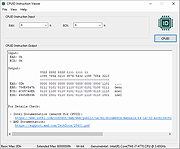 |
|
HWMonitor v1.68 HWMonitor v1.68 👉 Hardware monitoring tool that displays real-time system sensor data. HWMonitor is a hardware monitoring program that reads PC system health sensors to display voltages, temperatures, fan speeds, and power consumption in real time. It provides a clear and organized view of key hardware metrics gathered from onboard sensors, helping users monitor system stability and performance. HWMonitor supports a wide range of hardware including CPUs, GPUs, motherboards, and storage devices. It can read data from SMART-enabled hard drives, temperature sensors, and voltage rails, making it useful for diagnosing overheating issues or checking system performance under load. The interface is simple and lightweight, showing minimum, maximum, and current values for each sensor, allowing users to track changes over time without unnecessary clutter. Features: • Monitors temperatures, voltages, fan speeds, and power usage • Displays minimum, maximum, and current sensor values • Supports CPUs, GPUs, hard drives, and motherboards • Reads SMART data from storage devices • Lightweight and portable-friendly operation • Simple, easy-to-read interface Supported operating systems: • Windows XP, Windows Vista, Windows 7, Windows 8, Windows 10, Windows 11 Supported languages: English Changes: v1.68 09-14-26 PCI Express errors counters on AMD and Intel GPUs. New metrics on AMD Strix Point, Strix Halo and Kraken Point : NPU power, NPU clocks, NPU TOPS and TOPS per watt, NPU DRAM bandwidth usage, global platform power and DRAM read and write bandwidths. New HDD metrics (IOPS, average latency, NVMe controller link speed). Remembers devices & sensor types nodes state. This download is for the Windows x86/x64 version (very bottom of page). All other download assets are below: Other Windows: hwmonitor-arm64_1.05.zip Click here to visit the author's website. |
|
7,738 | Sep 16, 2026 CPUID 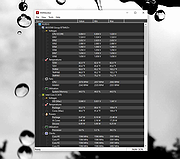 |
| Showing rows 1 to 3 of 3 | Showing Page 1 of 1 | 1 |
OlderGeeks.com Copyright (c) 2026
