|

|
Processed through Paypal No account required. |








Buy our over-priced crap to help pay the bills.



|
|
Processed through Paypal No account required. |
| Files | ||||
| File Name | Rating | Downloads | ||
 |
Better Windows Services v0.4.0 Better Windows Services v0.4.0 👉 Search, manage, and audit Windows services with a desktop app or command line tool. Better Windows Services gives administrators a searchable view of the local machine’s services and drivers. Its desktop app and command line tool use the same query language, so a search such as start:auto !status:running can find services set to start automatically that are currently stopped. Before starting, stopping, restarting, or changing a service’s startup type, the program shows a plan of the steps it will take, including affected dependent services. The command line can also save a snapshot of service settings and compare it with another snapshot or the live machine. The comparison separates configuration changes from ordinary changes in running state. Snapshots are available through the command line, not the desktop app. Features: • Search services and drivers by name, status, startup type, account, file, signature, publisher, dependencies, and other fields. • Preview service actions and their effects on dependent services before applying them. • Start, stop, restart, and change the startup type of services. • Offer a force stop that first requests a normal stop, then ends the process if necessary, with other services sharing that process identified in the preview. • Show details including triggers, required privileges, security descriptors, process information, and file signatures. • Export service lists from the desktop app. • Create and compare JSON snapshots with the command line tool to identify service configuration changes. • Provide JSON command output and exit codes for scripts. Supported operating systems: • Windows 10 version 1809 or later 64-bit, Windows Server 2019 or later 64-bit Supported languages: English Changes: v0.4.0 10-07-26 CHANGELOGBWS.txt Note: The GUI and CLI come in separate portable ZIP files. They include their own .NET runtime and work offline. Administrator rights are needed to make changes; viewing services without elevation may show fewer entries. 👉 This download is for the Windows 64bit GUI version (very bottom of page). All other download assets are below: Other ... |
 |
146 | Oct 08, 2026 DonislawDev 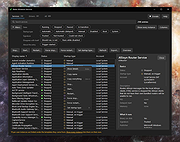 |
 |
EntropyVerify v1.0.0 EntropyVerify v1.0.0 👉 Portable, high-performance storage validation utility for verifying drive capacity and integrity. EntropyVerify is an open source, cross-platform storage validation utility written in Rust. Designed as a modern alternative to H2testw, it verifies the true capacity and integrity of storage devices by writing hardware-accelerated, incompressible AES-CTR data and validating it using BLAKE3 block checksums. The program is optimized for modern high-speed NVMe SSDs while remaining compatible with virtually any storage device. It features a real-time terminal dashboard, detailed verification reports, built-in safeguards to prevent accidental testing of system drives, and configurable command-line options for advanced users. Features: • Verifies the true capacity and integrity of storage devices. • High-performance asynchronous I/O for Windows and Linux. • Hardware-accelerated AES-128-CTR data generation. • BLAKE3 block-level integrity verification. • Real-time terminal dashboard with throughput graphs, progress bars, and ETA. • Automatically detects CPU topology and assigns worker threads to physical cores. • Built-in safety checks to prevent overwriting system drives and protected mount points. • Supports write-only and verify-only testing modes. • Generates detailed Markdown verification reports. • Automatically removes test files after a successful validation pass while retaining failed data for analysis. • Interactive controls for pausing, resuming, changing displayed units, and aborting tests. Supported operating systems: • Windows 10, Windows 11 Supported languages: • English Changes: v1.0.0 06-23-26 • Initial public release. • Introduced high-performance storage validation with asynchronous I/O. • Added hardware-accelerated AES-CTR data generation and BLAKE3 verification. • Added interactive terminal dashboard, Markdown reporting, and built-in safety protections. Click here to visit the author's website. |
|
474 | Jun 23, 2026 blamie 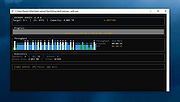 |
|
Superfile v1.6.0 Superfile v1.6.0 👉 A modern, terminal-based file manager built for speed and keyboard-driven efficiency. Superfile is a powerful cross-platform file manager designed to run inside your terminal, offering a fast, keyboard-focused alternative to traditional graphical file explorers. It features a clean interface with customizable themes, intuitive navigation, and efficient file operations, making it ideal for developers, system administrators, and power users who prefer working in the command line. Superfile combines performance with flexibility, allowing users to manage files, browse directories, preview content, and execute commands without leaving the terminal environment. Its lightweight design ensures minimal system resource usage while still delivering advanced functionality and smooth workflow integration. Features: • Fast, keyboard-driven navigation • Multi-panel file browsing • File preview support for various formats • Customizable themes and appearance • Cross-platform compatibility • Copy, move, rename, and delete file operations • Directory bookmarks for quick access • Lightweight and efficient resource usage • Designed for terminal environments • Open source and actively maintained Supported operating systems: • Windows 10, Windows 11 • macOS 12 or higher • Linux (major distributions) Supported languages: English Changes: v1.6.0 06-07-26 This release focuses on preview reliability, richer file metadata, configurable sidebar behavior, and a refreshed website and logo design, alongside navigation improvements, better error messages, refactoring, dependency updates, and bug fixes. Highlights Improved image and file preview reliability through the Bubble Tea v2 migration. Thanks @lazysegtree for the implementation New website & logo design. Thanks @elvisdragonmao for the implementation Added richer file metadata, including binary architecture detection for ELF/PE/Mach-O, Linux attributes, and file type byte support in the permissions column. Thanks @barsaskn, @xelavopelk, and @booth-w for the implementation Sidebar sections can now be configured for visibility and ordering. Thanks @Mjoyufull for the implementation Improved file operation error messages for delete, paste, and file text preview failures. Thanks @xelavopelk for the implementation ... |
|
1,580 | Jun 27, 2026 Yorukot 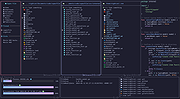 |
| Showing rows 1 to 3 of 3 | Showing Page 1 of 1 | 1 |
OlderGeeks.com Copyright (c) 2026
