|

|
Processed through Paypal No account required. |








Buy our over-priced crap to help pay the bills.



|
|
Processed through Paypal No account required. |
| Files | ||||
| File Name | Rating | Downloads | ||
 |
WinSystemHarden v1.3 WinSystemHarden v1.3 👉 Apply practical Windows security hardening rules offline, with one-click rollback if something goes wrong. WinSystemHarden is a free Windows security tool that applies 29 hardening rules inspired by CIS Benchmarks and NSA guidance. The rules cover network, service, system, account, and permission settings. Choose a Standard or Deep plan, or customize which rules to apply. WinSystemHarden works offline, requires no sign-up, and includes rollback options so you can revert changes if they interfere with your system or workflow. Features: • Applies 29 hardening rules across network, service, system, account, and permission settings • Offers Standard, Deep, and Custom hardening plans • Applies selected hardening settings with one click • Can disable high-risk services such as SMBv1 and close unnecessary ports • Provides one-click rollback to a previous restore point • Works offline with no cloud connection, telemetry, or data collection • Free to use with no sign-up required • Uses a standard Windows installer with a setup wizard Supported operating systems: • Windows 10, Windows 11 Supported languages: English Changes: v1.3 09-18-26 Initial public release. Includes 29 CIS- and NSA-inspired hardening rules, Standard, Deep, and Custom plans, one-click hardening, and rollback options. 👉 This download is for the Windows version (very bottom of page). All other download assets are below: User Manual: WinSystemHarden_UserGuide.pdf Click here to visit the author's website. |
 |
8 | Nov 05, 2026 Nisse-Sec Team 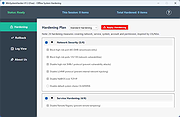 |
| Showing rows 1 to 1 of 1 | Showing Page 1 of 1 | 1 |
OlderGeeks.com Copyright (c) 2026
