|

|
Processed through Paypal No account required. |








Buy our over-priced crap to help pay the bills.



|
|
Processed through Paypal No account required. |
| Files | ||||
| File Name | Rating | Downloads | ||
 |
ChromisPOS v0.95.3 build 1902-01 ChromisPOS v0.95.3 build 1902-01 Chromis is a feature rich Point of Sale software. Which will run a variety of hardware, the only requirement is that it must be capable of running Java 1.8 Installing Chromis is simple and fast, using its own custom installer available for a number of operating systems. It supports multi terminal mode, and works with a number of Open Source database solutions. It is supplied with ability to use a Derby embedded db as standard, but if you wish to use a multi terminal then a product like MySQL is used. Chromis pos has a small team of people who are always willing to assist with any issues. This download is for the 64bit version. Download the 32bit version here. Features Windows XP, Vista, 7, 8 & 10 Extensive hardware support Java 1.8 supported Multi sales modes Screen resolutions from 800 x 600 User customizable Sales screen, Ticket and Receipt layouts Builtin scripting language Support for Derby, MySql & PostgreSQL supported Barcode reader Support Kitchen Display monitor, supprt multiple stations Builtin customer database User security CSV product import Builtin reporting and reports Support for Price\weight encoded barcodes conforms to GS1 standards Supports USB printer, so you no longer need to rely on serial ports Ability to migrate to multiuser db after testing with builtin db 14th February v 0.95.3 build 1902-01 Added days for removedlines data Added function for ticketline size, this is point size of the rows in the sales panel Added new column in taxes, taxcategories & taxcustcategories tables ready for future ... |
 |
7,248 | Jan 22, 2020 John Lewis 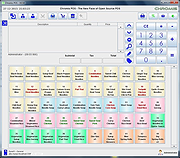 |
|
Far Manager v3.0 build 6226 Far Manager v3.0 build 6226 Free file and archive manager. Far Manager is a program for managing files and archives in Windows operating systems. Far Manager works in text mode and provides a simple and intuitive interface for performing most of the necessary actions: • viewing files and directories; • editing, copying and renaming files; • and many other actions. Customize it Far Manager has a multi-language, easily configurable interface. File system navigation is made easier through the use of color highlighting and sort groups. Your task — your way The functionality of Far Manager is greatly extended by external DLL modules — plugins (made possible by a special set of interfaces — the Plugins API). For example: archive support, FTP client, temporary panel and network browser are all implemented as plugins included in the standard distribution of Far. Changes: : 2023-12-13 build 6226 1. More ranges. 2. Refactoring. This download is for the Windows 64bit msi version. All other download assets are below: Windows msi: Far30b6226.x86.20231214.msi (32bit) Far30b6226.ARM64.20231214.msi (ARM64) Windows portable : Far30b6226.x64.20231214.7z (64bit) Far30b6226.x86.20231214.7z (32bit) Far30b6226.ARM64.20231214.7z (ARM64) Click here to visit the author's website. |
|
7,476 | Dec 14, 2023 Far Group 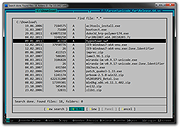 |
|
hMailServer v5.6.8-2574 hMailServer v5.6.8-2574 A free, open source, e-mail server for Microsoft Windows. It's used by Internet service providers, companies, governments, schools and enthusiasts in all parts of the world. It supports the common e-mail protocols (IMAP, SMTP and POP3) and can easily be integrated with many existing web mail systems. It has flexible score-based spam protection and can attach to your virus scanner to scan all incoming and outgoing email. Free and Open Source Licensed under AGPLv3, hMailServer can be used for free in most commercial scenarios. It's source code is available for anyone to read or extend at GitHub. Built-in Anti-Spam hMailServer comes with a set of built-in anti spam features such as SPF, SURBL. It can also be integrated with 3rd party anti spam systems such as SpamAssassin and ASSP. Webmail Any webmail system which supports IMAP and SMTP can be used with hMailServer. RoundCube and SquirrelMail are popular webmail systems which are often used with hMailServer. Changes: Version 5.6.8 - Build 2574 Issue 389: Upgrade to OpenSSL 1.1.1l Click here to visit the author's website. |
|
7,644 | Jun 02, 2023 hMailServer 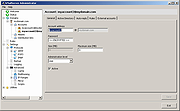 |
|
Opera Mail 1.0 Build 1044 Opera Mail 1.0 Build 1044 A lightweight, customizable mail client. Opera Mail is a lightweight, customizable mail client. Reading, labeling, and filtering messages has never been so easy. More efficient mail The way you read mail just got better. Elegant tabs allow you to view multiple emails messages at once and navigate between them with ease. Work smarter, not harder Threads help you smartly organize your mail. Keep up with the context of any mail thread, and quickly view previous messages in the conversation. Sort messages intuitively Labels allow you to sort your messages quickly. Take control of your inbox and set simple rules to sort mail automatically. Keep up with your favorites Opera Mail's built-in feed reader provides automatic notification of updates to your favorite websites. |
|
6,717 | Feb 21, 2016 Opera Software 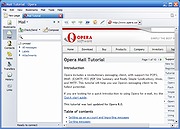 |
 |
TimVer v0.14.1 TimVer v0.14.1 👉 Displays Windows version, hardware, drive, graphics, environment, and build history information. TimVer displays the same Windows version information as the built-in Winver command, along with additional system details that Winver does not provide. It can show information about Windows, the computer's hardware, processors, BIOS, memory, disk drives, graphics controllers, environment variables, and Windows build history. TimVer also provides extensive appearance and language options, clipboard functions, portable versions, and settings backup and restore. Features: • Displays Windows version, build number, build branch, architecture, and installation date • Shows computer manufacturer, model, computer name, processor, BIOS, physical memory, and last boot information • Displays logical drive information with optional physical drive details • Shows graphics controller information including adapter name, type, description, resolution, refresh rate, and number of colors • Supports systems with multiple graphics controllers and lets you select each adapter from a dropdown • Displays current environment variables with filtering by variable name • Optionally keeps a history of installed Windows build numbers • Copies an entire supported information page to the clipboard • Copies individual values to the clipboard by right-clicking • Lets you choose the display language • Provides selectable themes, accent colors, fonts, UI sizing, and row spacing • Supports automatic light and dark theme selection when using the System theme • Exports and imports application settings for backup or transfer to another computer • Can open or list the current application settings • Includes an optional check for newer TimVer releases • Runs without elevation for normal system information gathering Supported operating systems: • Windows 10 64-bit, Windows 11 64-bit Supported languages: • English (United Kingdom), English (United States), Spanish, French, Italian, Japanese, Korean, Dutch, Slovak, Thai Changes: v0.14.1 07-25-26 Fixed an issue where mismatched information could be displayed on the Graphics (Video) Information page when two or more video controllers were present. Cleaned up and optimized video controller information retrieval and UI handling. Inactive controllers may show "Not ... |
|
2,284 | Aug 24, 2026 Tim Kennedy 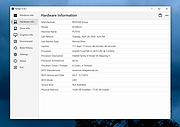 |
| Showing rows 1 to 5 of 5 | Showing Page 1 of 1 | 1 |
OlderGeeks.com Copyright (c) 2026
