|

|
Processed through Paypal No account required. |








Buy our over-priced crap to help pay the bills.



|
|
Processed through Paypal No account required. |
| Files | ||||
| File Name | Rating | Downloads | ||
 |
BrowserAddonsView v1.30 BrowserAddonsView v1.30 👉 View installed browser addons and plugins in one simple list. BrowserAddonsView is a simple NirSoft tool that displays details for Web browser addons and plugins installed on your system. It can scan Chrome, Firefox, Internet Explorer, and Microsoft Edge, and it detects multiple Chrome and Firefox profiles when present. Features: • Displays installed browser addons, plugins, and extensions • Supports Chrome, Firefox, Internet Explorer, and Microsoft Edge • Detects multiple Chrome and Firefox profiles • View addons from all Windows profiles • View Chrome and Firefox addons from an external drive or remote computer • Export selected items to text, CSV, tab-delimited, XML, HTML, or JSON • Copy addon information to the clipboard for use in spreadsheets • Quick Filter for instantly filtering the addon list • Command-line options for exporting, sorting, selecting columns, and loading profiles • Portable; no installation required Supported operating systems: • Windows XP, Windows Vista, Windows 7, Windows 8, Windows 10, Windows 11 • 32-bit and 64-bit systems Supported languages: English, Arabic, Brazilian Portuguese, Dutch, French, German, Greek, Hungarian, Italian, Japanese, Persian, Polish, Romanian, Russian, Simplified Chinese, Slovak, Spanish, Traditional Chinese, Turkish Changes: v1.30 07-20-24 Added 'Black Background' option (Under the View menu). When it's turned on, the main table is displayed in black background and white text, instead of default system colors. This download is for the Windows 64bit version (very bottom of page). If you need the Windows 32bit version, download here. Click here to visit the author's website. |
 |
6,469 | Oct 07, 2026 Nir Sofer 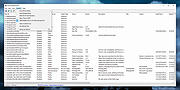 |
| Showing rows 1 to 1 of 1 | Showing Page 1 of 1 | 1 |
OlderGeeks.com Copyright (c) 2026
