|

|
Processed through Paypal No account required. |








Buy our over-priced crap to help pay the bills.



|
|
Processed through Paypal No account required. |
| Files | ||||
| File Name | Rating | Downloads | ||
 |
Bouncy Blob v1.0.1 Bouncy Blob v1.0.1 👉 Infinite climbing and bouncing platform game. Bouncy Blob is a procedurally generated infinite climbing and bouncing platform game created by rocketnine. Your goal is simple: keep climbing as high as possible by bouncing from platform to platform while avoiding a long fall. Every new game generates a fresh world using Perlin noise, ensuring that no two climbs are exactly alike while preserving a familiar starting area so you can quickly get into the action. As you climb higher, the challenge steadily increases, requiring faster reactions and more precise jumps to maintain your momentum. The game records your highest score, greatest height reached, and fastest velocity, encouraging you to improve with each attempt. You can also enter custom seeds to replay the same generated world, making it easy to challenge friends on identical maps or revisit a particularly enjoyable climb. Despite its straightforward controls, Bouncy Blob offers surprisingly addictive gameplay that rewards practice, timing, and quick decision-making. With support for keyboard, mouse, and touchscreen controls, along with fullscreen mode, pause support, customizable color themes, and music muting, it provides a polished arcade-style experience on both Windows and Linux. After toggling fullscreen off (Alt + Enter), simply close the game window to quit. Features: • Procedurally generated infinite climbing levels • Fast bouncing platform action • Unique play-throughs using generated seeds • Manual seed entry for replaying a specific level • Tracks highest velocity, height and score • Pause support • Mouse and touchscreen input support Keyboard controls: • Jump: W / Up / Space • Move Left: A / Left • Move Right: D / Right • Restart: R / Backspace / Delete • Mute Music: Ctrl + M • Toggle Color: F12 / Ctrl + C • Toggle Fullscreen: Alt + Enter • Enter Seed: Ctrl + S • Pause: Escape • After toggling fullscreen off (Alt + Enter), close the window to quit the game Supported operating systems: • ... |
 |
424 | Jul 03, 2026 Trevor Slocum 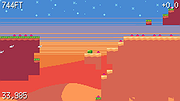 |
| Showing rows 1 to 1 of 1 | Showing Page 1 of 1 | 1 |
OlderGeeks.com Copyright (c) 2026
