|

|
Processed through Paypal No account required. |








Buy our over-priced crap to help pay the bills.



|
|
Processed through Paypal No account required. |
| Files | ||||
| File Name | Rating | Downloads | ||
 |
Balabolka v2.15.0.918 Balabolka v2.15.0.918 👉 Text-to-speech software for reading text aloud using installed system voices. Balabolka is a text-to-speech (TTS) program that allows you to convert written text into spoken audio using voices installed on your system. It supports a wide range of file formats and provides tools for editing text, adjusting speech parameters, and saving audio output to various formats. The program works with Microsoft Speech API (SAPI) voices and gives users control over voice selection, speed, pitch, and volume. Features: • Supports multiple file formats including TXT, DOCX, PDF, EPUB, HTML, and more • Uses Microsoft SAPI 4 and SAPI 5 compatible voices • Adjustable speech parameters such as rate, pitch, and volume • Save text as audio files in formats like WAV, MP3, OGG, and WMA • Built-in text editor with bookmarking and customization options • Can read clipboard content and monitor it for automatic reading • Spell checking and pronunciation correction tools • Batch file conversion and command line support • Customizable interface including font and color settings Supported operating systems: • Windows XP, Windows Vista, Windows 7, Windows 8, Windows 10, Windows 11 Supported languages: English, Russian, German, Spanish, French, Italian, Polish, Czech, and others depending on installed voices Changes: v2.15.0.918 2026-07-18 [-] Fixed the using of LibreTranslate. [*] Resources for Bulgarian and Turkish languages were updated (thanks to Kostadin Kolev and Fettah Pınar). This download is for the Windows portable version (very bottom of page). All other download assets are below: Windows installer: balabolka.zip Windows Command Line Utility: The utility contains no graphical user interface and works only from the command line. The application handles various command line parameters to be able to read text aloud or save as an audio file balcon.zip Text Extract Utility: The program allows to extract text from the various types of files. The extracted text can be combined into one file or/and split into few files. The utility works from the command line, without displaying any user ... |
 |
9,952 | Aug 14, 2026 Ilya Morozov 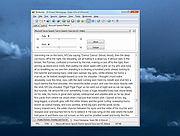 |
| Showing rows 1 to 1 of 1 | Showing Page 1 of 1 | 1 |
OlderGeeks.com Copyright (c) 2026
