|

|
Processed through Paypal No account required. |








Buy our over-priced crap to help pay the bills.



|
|
Processed through Paypal No account required. |
| Files | ||||
| File Name | Rating | Downloads | ||
 |
Aspiring Keyboard v1.4 Aspiring Keyboard v1.4 👉 Control your Windows PC entirely from the keyboard without using a mouse. Aspiring Keyboard is an accessibility and productivity utility designed for touch typists who want to operate Windows with little or no mouse use. Instead of constantly reaching for a mouse or touchpad, the program displays an intelligent on-screen mouse grid that lets you move the pointer and perform mouse actions simply by pressing hotkeys followed by two keyboard characters. This approach makes navigation fast, accurate, and consistent once learned, while helping reduce repetitive mouse movement. The program is especially well suited for power users, keyboard enthusiasts, accessibility needs, repetitive strain reduction, and anyone who already relies heavily on Windows keyboard shortcuts. The included documentation recommends being able to touch type and having a good knowledge of common Windows key combinations to get the most from the program. Aspiring Keyboard offers three operating modes. An OFF mode disables mouse control, while Green and Blue modes provide separate groups of customizable mouse actions that can be switched instantly from the keyboard or system tray. The configurable mouse grid can use hexagonal or several square layouts, allowing you to choose the balance between speed and precision that best fits your workflow. One of the program's most interesting features is Smart Mousegrid. Rather than remaining static, it learns how you use individual applications and gradually assigns easier-to-type character combinations to areas you access most frequently. Learning is maintained separately for each application, keyboard layout, mouse grid type, and grid size, allowing the software to adapt naturally to your workflow over time. Features: • Control the mouse entirely from the keyboard using customizable hotkeys. • Move the pointer by typing just two characters within the on-screen mouse grid. • Perform mouse clicks and other mouse actions without touching a mouse. • Three operating modes: OFF, Green, and Blue for ... |
 |
282 | Jul 27, 2026 Mikołaj Magowski 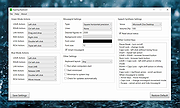 |
| Showing rows 1 to 1 of 1 | Showing Page 1 of 1 | 1 |
OlderGeeks.com Copyright (c) 2026
