|

|
Processed through Paypal No account required. |








Buy our over-priced crap to help pay the bills.



|
|
Processed through Paypal No account required. |
| Files | ||||
| File Name | Rating | Downloads | ||
 |
IPNeighborsView v1.03 IPNeighborsView v1.03 👉 View detailed information about computers and devices recently detected on your local network. IPNeighborsView is a lightweight, portable network utility that displays the IP neighbor table maintained by Windows. The IP neighbor table contains computers, routers, printers, smartphones, and other network devices that Windows has recently communicated with on your local network. The program displays detailed information for every detected entry, including the IP address, MAC address, MAC address vendor, address type, state, state duration, local network adapter, interface index, and connection name. IPNeighborsView can also detect randomized MAC addresses used by many modern mobile devices and clearly identifies them in the manufacturer column. IPNeighborsView requires no installation and can be run directly from any folder or portable drive. Selected entries can be copied to the clipboard or exported to text, CSV, tab-delimited, HTML, XML, and JSON formats. Permanent neighbor table entries are hidden by default but can be displayed through the Options menu when needed. Features: • Displays the Windows IP neighbor table • Lists computers and devices recently detected on the local network • Shows IPv4 and IPv6 addresses • Displays MAC addresses and associated hardware vendors • Detects and labels randomized MAC addresses • Shows address type and neighbor state information • Displays state duration for each entry • Identifies the local network adapter and connection name • Optionally displays permanent neighbor table entries • Copy selected entries directly to the clipboard • Export data to Text, CSV, Tab-delimited, HTML, XML, or JSON • Includes command-line options for automated exports • Portable with no installation required • Supports both 32-bit and 64-bit Windows Supported operating systems: • Windows Vista, Windows 7, Windows 8, Windows 8.1, Windows 10, Windows 11 Supported languages: English, Dutch, French, German, Greek, Hungarian, Italian, Japanese, Persian, Polish, Russian, Simplified Chinese, Slovak, Traditional Chinese, Turkish Changes: v1.03 07-15-26 When a randomized MAC address is detected, it is displayed in the MAC Address Company column. Updated the ... |
 |
3,455 | Jul 30, 2026 Nir Sofer 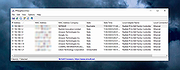 |
|
Tunnel Adapter Microsoft 6to4 Adapter Remover 1.2 Tunnel Adapter Microsoft 6to4 Adapter Remover 1.2 The 6to4 adapter is a windows component for correctly transmitting IPv6 packets through a IPv4 network. If you have more than one 6to4 adapter in Device Manager, you likely have experienced a Windows bug in which a new Microsoft 6to4 adapter was unexpectedly created after a restart in Windows 7 or Windows Server 2008 R2. This can be repaired with Tunnel Adapter – 6to4 Adapter Remover. Just download the ZIP and extract its contents to a folder of your choice. For 32-bit systems, run i386.exe (x86), or for 64-bit (x64) systems run ia64.exe. In some cases, there may be many of these 6to4 adapters listed in Device Manager. Removing them one at a time can be both tedious and time consuming. Our freeware tool automates this process, and will not use devon.exe. Supported Operating Systems: Windows 10 , Windows 8.1 , Windows 8 , Windows 7 , Windows Vista , Winsows Xp – (both x86 and x64) Supported Languages: English 6to4remover v1.2 what is new (22.05.2013) – The program will no longer use devcon.exe |
|
6,656 | Jun 10, 2016 Sordum.org 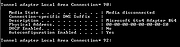 |
| Showing rows 1 to 2 of 2 | Showing Page 1 of 1 | 1 |
OlderGeeks.com Copyright (c) 2026
