|

|
Processed through Paypal No account required. |








Buy our over-priced crap to help pay the bills.



|
|
Processed through Paypal No account required. |
| Files | ||||
| File Name | Rating | Downloads | ||
 |
Microsoft Works 9 (ISO) Microsoft Works 9 (ISO) An ISO (Disk image) of Microsoft Works 9 Microsoft Works 9 is a discontinued home productivity software suite that offered basic word processing, spreadsheet, database, and calendar tools for everyday personal and household tasks. It featured a simple user interface with a Works Task Launcher for easy access to programs and customizable templates for tasks like creating letters, resumes, and budgets. As a less feature-rich and lower-cost alternative to Microsoft Office, it was often pre-installed on new computers. Features: • Word Processor: For creating letters, documents, and greeting cards. • Spreadsheet: For managing budgets and performing calculations. • Database: For organizing and tracking household records. • Calendar: For managing schedules and appointments. • Works Task Launcher: A central hub to quickly find and launch applications and projects. • Customizable Templates: Ready-to-use templates for various documents and tasks, like creating greeting cards. • Built-in Dictionary and Spelling Checker: To help with writing and proofreading. This disk image has been tested to run under Windows up to Windows 11. If you have issues, right-click the desktop icon and choose Properties -> Compatibility Tab and then choose a Compatibility Mode such as Windows 7. You can burn a CD from this file but that would be silly. Just unpack it with 7-Zip or something and run the setup file. You can also right-click the ISO and choose Open With and then Windows Explorer. This will mount the ISO as a virtual DVD drive. Notes: ▸ Only use this disk image if you received Microsoft Works 9 bundled with a new computer and you misplaced the disk. ▸ This program will install slowly and appear stuck at certain points. Be patient. When it's done initially ... |
 |
3,237 | Oct 03, 2025 Microsoft Corp. 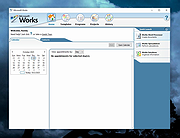 |
 |
Window Ruler 1.1 rev 9 Window Ruler 1.1 rev 9 Window Ruler is a program that permits you to: • Test if your application windows fit in a certain screen resolution (very useful for developers!); • Measure any window by dragging the red ball (left-upper corner). How to use this program: • Move the ruler by dragging it • Measure a certain window by dragging the red ball over it • Show/Hide the ruler by left-clicking over the notify icon • Show the options by right-clicking over the notify icon or the ruler window • The ruler can be resized using the mouse History v.1.1 rev 9 Fixed a bug when capturing the image to the clipboard |
|
6,034 | Aug 31, 2017 Lorenzi Davide 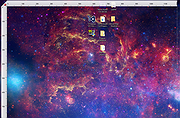 |
| Showing rows 1 to 2 of 2 | Showing Page 1 of 1 | 1 |
OlderGeeks.com Copyright (c) 2026
