|

|
Processed through Paypal No account required. |








Buy our over-priced crap to help pay the bills.



|
|
Processed through Paypal No account required. |
| Files | ||||
| File Name | Rating | Downloads | ||
 |
Easy File Locker 32bit 2.2 Easy File Locker 32bit 2.2 Easy File Locker is a light-weight and easy-to-use file lock software product for Windows. It can protect your private files and folders. With its great protection, users will not be able to open, read, modify, delete, move, copy the locked files/folders, or even not be able to see it. The hidden files/folders will be totally invisible to all users and to any program. Easy File Locker will keep protecting the files/folders even under Windows Safe Mode. It is designed for protecting files/folders on your local computer. it doesn't change the protected files and folders, it will not slow down the system speeds and it will never have the chance to destroy your data. Lock files, Lock folders: The locked files/folders are protected from accessing, users can not open, read, modify, move, delete, copy, rename the protected files/folders. Files and sub-folders in a locked folder are also protected. Hide files, Hide folders: You can hide your private files and folders, to make them completely invisible to users and programs. Password protected GUI and uninstaller: Once you set a password, no one can launch the application or uninstall the software without the correct password. |
 |
9,191 | Jan 13, 2017 XOSLAB.COM 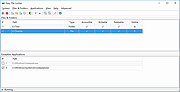 |
|
Easy File Locker 64bit 2.2 Easy File Locker 64bit 2.2 Easy File Locker is a light-weight and easy-to-use file lock software product for Windows. It can protect your private files and folders. With its great protection, users will not be able to open, read, modify, delete, move, copy the locked files/folders, or even not be able to see it. The hidden files/folders will be totally invisible to all users and to any program. Easy File Locker will keep protecting the files/folders even under Windows Safe Mode. It is designed for protecting files/folders on your local computer. it doesn't change the protected files and folders, it will not slow down the system speeds and it will never have the chance to destroy your data. Lock files, Lock folders: The locked files/folders are protected from accessing, users can not open, read, modify, move, delete, copy, rename the protected files/folders. Files and sub-folders in a locked folder are also protected. Hide files, Hide folders: You can hide your private files and folders, to make them completely invisible to users and programs. Password protected GUI and uninstaller: Once you set a password, no one can launch the application or uninstall the software without the correct password. |
|
9,350 | Jan 13, 2017 XOSLAB.COM |
 |
Reboot Restore Rx Free 2.2 Reboot Restore Rx Free 2.2 Reboot Restore Rx prevents any changes made on your drive(s) by restoring a saved baseline every time the PC boots up. It is designed for small public access computing environments such as classrooms, libraries, kiosks, and internet cafes. Even when users download files, viruses, malware, or even try to delete registry keys, Reboot Restore Rx will restore the PC back to your desired state. Reboot on Restore Instantly reset to the baseline on startup or hard reset. One-Click Instant Update Update the baseline without restarting your computer. Reduce Maintenance Cost Drastically reduces computer maintenance, and can be used to protect tier one public access computing environments Reboot Restore Rx Version: 2.2 Last Updated: 10 May 2017 Fixes Secure Boot Issue for better compatibility with Windows 10 build 1607 & later Support Grub Linux bootloader. Adjusted the Uninstallation User Interface. New End User License Agreement (EULA) |
|
7,185 | Nov 15, 2019 Horizon DataSys Corp.  |
| Showing rows 1 to 3 of 3 | Showing Page 1 of 1 | 1 |
OlderGeeks.com Copyright (c) 2026
