|
Antivirus Live CD v43.0-1.0.1
Antivirus Live CD v43.0-1.0.1
A 4MLinux fork including the ClamAV scanner. It's designed for users who need a lightweight live CD, which will help them to protect their computers against viruses.
Ethernet, WiFi, PPP and PPPoE are supported by Antivirus Live CD to enable automatic updates of its virus signature databases. All partitions are mounted during the boot process so that they can be scanned by ClamAV. The Antivirus Live CD ISO images are fully compatible with UNetbootin, which can be used to create an easy-to-use Antivirus Live USB.
Features
• Antivirus
• Backup
Click here to visit the author's website. |
 |
7,254 |
Aug 24, 2023
zk1234  |
|
AVG Rescue CD (for CD creation) 120.160420
AVG Rescue CD (for CD creation) 120.160420
You’ have installed AVG protection to help ensure you don’t get infected servers or workstations. However, if the unthinkable has already occurred, you need the AVG Rescue CD; a powerful must-have toolkit to assist with the rescue and repair of infected machines. This software provides essential utilities for system administrators and other IT professionals and includes the following features:
A comprehensive administration toolkit
System recovery from virus and spyware infections
Adaptability for the recovery of both MS Windows and Linux operating systems (FAT32 and NTFS file systems)
Ability to perform a clean boot from a CD or USB stick
Free support and service for paid license holders of any AVG product
FAQ and Free Forum self-help online support for AVG Free users
What you get:
Key technologies
Anti-virus: protection against viruses, worms and Trojans
Anti-spyware: protection against spyware, adware and identity theft
Administration toolkit: system recovery tools
The AVG Rescue CD is essentially a portable version of AVG Anti-Virus supplied through Linux distribution. It can be used in the form of a bootable CD or bootable USB flash drive to recover your computer when the system cannot be loaded normally, such as after an extensive or deep-rooted virus infection. In short, the AVG Rescue CD enables you to fully remove infections from an otherwise inoperable PC and render the system bootable again.
Apart from the usual AVG functions (malware detection and removal, updates from internet or external device, etc.), the AVG Rescue CD also contains the following set of administration tools:
Midnight Commander - a two-panel file manager
Windows Registry Editor– simple registry editor for more experienced users
TestDisk - powerful hard drive recovery tool
Ping - tests the availability of network resources (servers, domains, IP addresses)
Common Linux programs and services– vi text editor,
OpenSSH daemon, ntfsprogs etc.
Free of charge
The AVG Rescue CD is a free product that anyone can download. It ... |
|
8,436 |
Nov 13, 2019
AVG Technologies 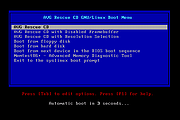 |
 |
AVG Rescue CD (for USB stick) 120.160420
AVG Rescue CD (for USB stick) 120.160420
You’ have installed AVG protection to help ensure you don’t get infected servers or workstations. However, if the unthinkable has already occurred, you need the AVG Rescue CD; a powerful must-have toolkit to assist with the rescue and repair of infected machines. This software provides essential utilities for system administrators and other IT professionals and includes the following features:
A comprehensive administration toolkit
System recovery from virus and spyware infections
Adaptability for the recovery of both MS Windows and Linux operating systems (FAT32 and NTFS file systems)
Ability to perform a clean boot from a CD or USB stick
Free support and service for paid license holders of any AVG product
FAQ and Free Forum self-help online support for AVG Free users
What you get:
Key technologies
Anti-virus: protection against viruses, worms and Trojans
Anti-spyware: protection against spyware, adware and identity theft
Administration toolkit: system recovery tools
The AVG Rescue CD is essentially a portable version of AVG Anti-Virus supplied through Linux distribution. It can be used in the form of a bootable CD or bootable USB flash drive to recover your computer when the system cannot be loaded normally, such as after an extensive or deep-rooted virus infection. In short, the AVG Rescue CD enables you to fully remove infections from an otherwise inoperable PC and render the system bootable again.
Apart from the usual AVG functions (malware detection and removal, updates from internet or external device, etc.), the AVG Rescue CD also contains the following set of administration tools:
Midnight Commander - a two-panel file manager
Windows Registry Editor– simple registry editor for more experienced users
TestDisk - powerful hard drive recovery tool
Ping - tests the availability of network resources (servers, domains, IP addresses)
Common Linux programs and services– vi text editor,
OpenSSH daemon, ntfsprogs etc.
Free of charge
The AVG Rescue CD is a free product that anyone can download. It ... |
|
8,567 |
Nov 13, 2019
AVG Technologies |
|
Carbon CD v1.0.8
Carbon CD v1.0.8
A free versatile disc cloning software that efficiently duplicates most CDs or stores them on your computer.
Designed for users acquainted with similar programs like Clone CD, Carbon CD is developed based on Y. Kanechika’s CD Manipulator code and now features English language support, enhanced visuals, customizable skins, improved dialog boxes, and bug fixes.
Utilize Carbon CD to create backup copies of your music or data CDs. Effortlessly clone most CDs with just a few mouse clicks, producing perfect 1:1 duplicates or saving them to your computer. If you have experience with Clone CD from Elaborate Bytes, using Carbon CD will be comfortable and intuitive.
Carbon CD is derived from the CD Manipulator code developed by Y. Kanechika. Initially, in Japanese, it now supports English by default. I enhanced the project by transitioning from Visual Studio 2005 to Visual Studio 2022, streamlining the code, updating graphics, incorporating skinning, refining dialog boxes, and addressing all identifiable bugs. Please inform me of any additional issues discovered.
General Features
• Create 1:1 copies onto CD-Rs and CD-RWs.
• Supported formats: ISO, IMG, CUE, CCD, CDM
• Does not require an ASPI driver.
• Show Drive capabilities.
• MSF Calculator.
• Erase CD-RW media.
• CD and Image File mastering.
• Rip audio tracks.
• Copy Protect CDs.
Reading Features
• Copies CDs in Single-Session mode or Multi-Session (RAW) mode.
• Analyze pregap.
• Analyze subcode.
• Ignore read errors.
• Fast error skip.
• Intelligent bad sector scanner.
• Swap audio channels.
Writing Features
... |
|
577 |
Nov 01, 2023
Rizonetech (Pty) Ltd. 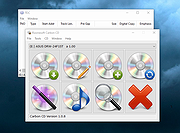 |
 |
EZ CD Audio Converter Free 1.5.3
EZ CD Audio Converter Free 1.5.3
The Easy CD-DA Extractor application is the Swiss Army Knife Of Digital Audio is ALL-IN-ONE music converter that rips Audio CDs, converts audio files from one format to another, edits metadata of audio files.
Supports all popular audio file formats such as MP3, AAC, aacPlus, Apple Lossless, Windows Media Audio, Ogg Vorbis, FLAC, Monkey's Audio, and more.
You can use Audio CD Ripper to rip CDs to different audio formats. CD ripping is powered by AccurateCDDA that provides accurate, error detective, and high-performance CD ripping.
Audio CD Ripper can read disc information from CD-Text, and retrieve it from freedb and MusicBrainz metadata servers. Cover art can be automatically downloaded from Amazon store. The metadata from different sources are combined and written to the output file. Compatible media player will show this information when playing the file.
Audio CD Ripper also contains DSP panel that allows you to normalize audio from different CDs to the same volume level, or you can apply fade in/out, or delete leading and trailing silence of a song.
|
 |
8,246 |
Feb 17, 2014
Poikosoft |
|
Ultimate Boot CD v5.3.9 ISO
Official Mirror
Ultimate Boot CD v5.3.9 ISO
You need the Ultimate Boot CD if you want to:
• Run floppy-based diagnostic tools from CDROM drives. More and more PCs are shipped without floppy drives these days, and it is such a royal pain when you need to run diagnostic tools on them.
• Free yourself from the slow loading speed of the floppy drive. Even if you do have a floppy drive, it is still much much faster to run your diagnostic tools from the CDROM drive, rather than wait for the tool to load from the floppy drive.
• Consolidate as many diagnostic tools as possible into one bootable CD. Wouldn't you like to avoid digging into the dusty box to look for the right floppy disk, but simply run them all from a single CD? Then the Ultimate Boot CD is for you!
• Run Ultimate Boot CD from your USB memory stick. A script on the CD prepares your USB memory stick so that it can be used on newer machines that supports booting from USB devices. You can access the same tools as you would from the CD version.
New features in UBCD V5.x include:
• New! The Linux-based distro Parted Magic is now included with UBCD V5.0. This should be the method of choice when you need to resize/rescue partitions, access NTFS filesystems or work with USB storage devices.
• New! UBCD V5.x now supports both syslinux/isolinux and grub4dos. This helps improve the chances that UBCD will boot on any particular machine.
When you boot up from the CD, a text-based menu will be displayed, and you will be able to select the tool you want to run. The ... |
 |
281,311 |
Feb 27, 2024
Victor Chew 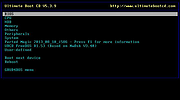 |